
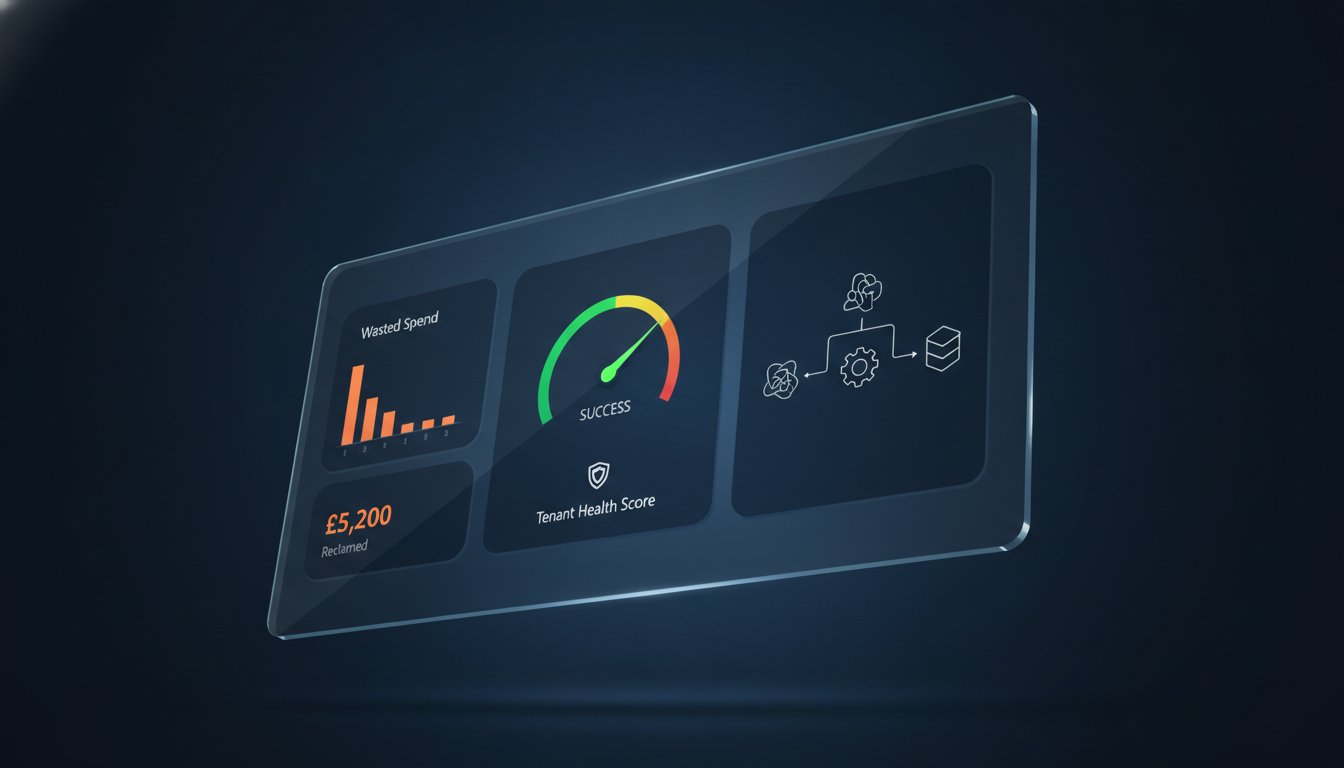
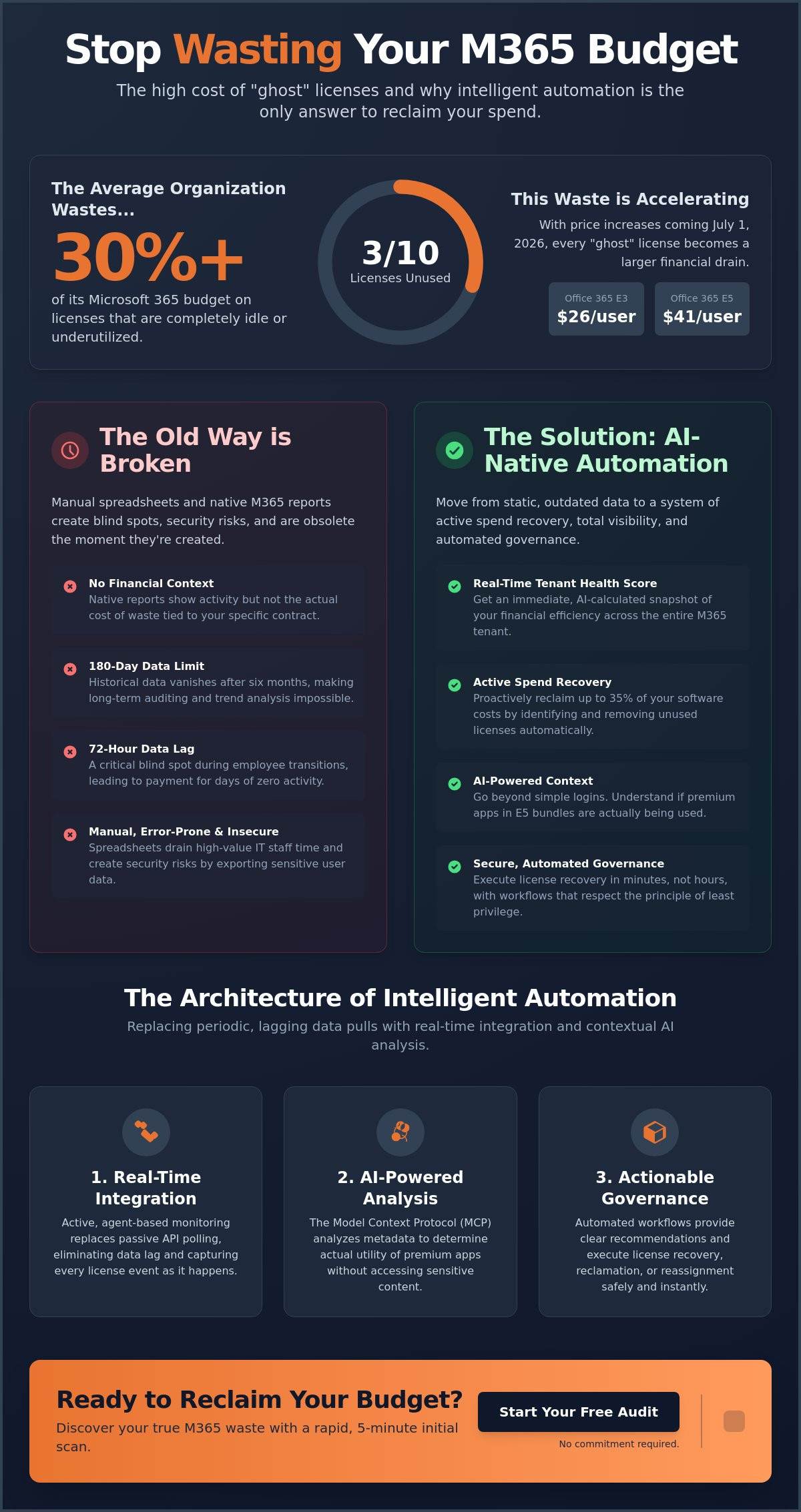
Did you know that the average organization wastes over 30% of its Microsoft 365 budget on licenses that sit completely idle? With the July 1, 2026, price increases pushing Office 365 E3 to $26 and E5 to $41 per user, these "ghost" licenses are no longer just an administrative nuisance. They're a direct threat to your financial health. You likely rely on manual spreadsheets or native reports that are outdated the moment you hit export. Implementing m365 license usage report automation is the only way to gain the precision needed to stop this resource drain immediately.
You already know that manual oversight takes too long and native tools fail to show the actual money being wasted. This article teaches you how to move beyond static data to a system of active spend recovery that reclaims up to 35% of your software costs. We examine how to deploy automated workflows that remove unused licenses safely while establishing a clear Health Score for your entire M365 tenant. It's time to stop guessing and start governing your resources with total clarity and professional oversight.
Key Takeaways
- Identify why native M365 reporting fails to track financial waste and how the 180-day data limit obscures long-term auditing.
- Learn to deploy m365 license usage report automation that uses AI-native integration to calculate a real-time Health Score for your tenant.
- Establish precise inactivity thresholds based on specific user roles to ensure licenses are reclaimed safely without impacting productivity.
- Move beyond static spreadsheets by building automated governance workflows that execute license recovery in minutes rather than hours.
- Discover how the LicenseIQ platform provides immediate visibility into wasted spend through a rapid five-minute initial scan.
The Limitations of Native M365 Usage Reports in 2026
Native Microsoft 365 reports provide visibility, but they don't provide control. In 2026, simply knowing that a user logged into Teams isn't enough. You need to know what that login cost you. With price increases for Office 365 E3 and E5 plans effective July 1, 2026, every unused seat represents a growing hole in your IT budget. Native tools show activity; they don't show financial waste. This gap is why traditional Software Asset Management (SAM) strategies often fail in cloud environments. True m365 license usage report automation bridges this divide by injecting financial intelligence into raw activity data.
The 180-day data limit in the Microsoft Admin Center is a significant operational barrier. It prevents long-term trend analysis and makes historical auditing nearly impossible. If you need to see usage patterns from a year ago to prepare for an Enterprise Agreement renewal, native tools leave you stranded. Beyond the data wall, native reporting requires elevated permissions that often violate the principle of least privilege. You shouldn't have to grant global admin rights just to see who isn't using Power BI. Shifting to m365 license usage report automation removes these security risks while providing the financial context native reports lack.
- Lack of Cost Context: Native reports don't map usage to your specific contract pricing.
- Data Expiration: Historical insights vanish after six months.
- Static Output: CSV exports are snapshots that become obsolete within hours.
- Security Overreach: Accessing usage data often requires excessive administrative roles.
The 72-Hour Blind Spot
Native reports suffer from a 24 to 72-hour data lag. This delay creates "phantom" costs during employee transitions. If an account isn't deprovisioned immediately, you pay for days of zero activity. Static reports also fail to account for background processes that can mimic user engagement. They don't identify redundant license assignments across different tiers, such as a user holding both an E3 and a standalone Project license they don't need. You're essentially flying blind for three days at a time.
Why Spreadsheets are the Enemy of M365 FinOps
Manual data manipulation is a drain on your most expensive resources. High-value IT staff spend hours every month exporting CSV files and merging them in Excel. This creates data silos that are obsolete before the meeting even starts. Security is another major concern. Exporting sensitive user data to unmanaged local files increases your attack surface. Without version control, your license tracking becomes a chaotic mess of files that lead to audit failures. Transitioning to a dedicated platform like LicenseIQ eliminates these manual errors and secures your data through a unified Spend Recovery Dashboard.
The Architecture of AI-Native License Automation
Modern license governance requires a fundamental shift in technical architecture. Traditional systems rely on periodic API polling, which inevitably creates the data lag discussed previously. To achieve significant savings, organizations must move toward real-time integration. AI-native m365 license usage report automation replaces passive data collection with active, agent-based monitoring. These agents scan every license assignment and user interaction across the entire tenant to calculate a real-time License Health Score. This score provides an immediate snapshot of your financial efficiency; it allows you to act before the next billing cycle begins.
Effective automation goes beyond simple email activity checks. It must scrutinize the entire M365 suite, including Power Platform, SharePoint, and Teams. Many users might be "active" in Outlook but have never opened a single premium app included in their expensive E5 bundle. An AI-driven architecture identifies these discrepancies automatically. It treats license management as a continuous process of discovery rather than a monthly chore. This meticulous oversight ensures that no resource remains obscured or underutilized.
Leveraging the Model Context Protocol (MCP)
The Model Context Protocol (MCP) is the new standard for connecting AI agents to software intelligence platforms. Unlike standard Graph API calls that only return raw data points, MCP allows AI to understand the context of that data. It enables deeper scanning of user engagement patterns while maintaining strict data privacy. The system analyzes metadata to determine actual utility without ever accessing sensitive content. This protocol ensures that your oversight is both granular and secure; it provides a level of detail that traditional reporting tools cannot match.
Prescriptive vs. Descriptive Analytics
The primary flaw in native reporting is that it is purely descriptive. A descriptive report tells you that "User X hasn't logged in for 45 days." This is observational data that still requires manual intervention. Prescriptive intelligence changes the conversation. It states: "User X costs $26/mo and hasn't used their E3 features in 45 days; reclaim this license now to save $312 annually." This level of clarity is only possible when you integrate a detailed understanding of Microsoft 365 license types directly into the logic engine.
Your automation must provide a specific dollar-value recommendation for every suggested action. This transforms IT from a cost center into a driver of operational efficiency. By using a Spend Recovery Dashboard, leadership can see the immediate ROI of their governance policies. It's no longer about just tracking users. It's about optimizing capital through precise, data-driven decision-making.
Critical Metrics for Automated License Governance
To recover 30% or more of your M365 spend, you must measure what native tools ignore. Native reports provide siloed data points, but automated governance synthesizes these into a single source of truth. Effective m365 license usage report automation focuses on the financial efficiency of every seat, not just the last login date. By tracking these metrics in real time, you eliminate the guesswork that leads to over-provisioning and wasted capital.
Managing a tenant without unified metrics is an exercise in reactive firefighting. You need a proactive system that highlights "shelfware" before the next billing cycle. Automated oversight identifies unassigned licenses that are costing you money today, ensuring your inventory matches your actual headcount. This level of precision is vital as organizations prepare for the July 2026 price adjustments, where even small inefficiencies become significant liabilities.
- Unassigned License Inventory: Real-time tracking of paid-for seats that haven't been allocated.
- Inactive User Thresholds: Defining "inactive" based on actual engagement with premium features, not just background pings.
- License Health Score: A unified percentage that represents your tenant's total financial efficiency.
- Redundant Assignment Detection: Identifying users holding multiple SKUs that provide overlapping services.
Calculating Your License Health Score
The License Health Score is your primary KPI for M365 efficiency. The formula is straightforward: (Utilized Licenses / Total Paid Licenses) x 100. If your score is below 90%, you're leaking capital. Automated systems benchmark your score against industry standards to show exactly where you stand. This metric is a powerful tool for justifying IT budget requests to leadership. It moves the conversation from technical jargon to clear financial performance; it proves that your department is an active guardian of corporate resources.
Identifying Redundant and Over-Provisioned Licenses
License Creep occurs when users accumulate multiple SKUs for the same service over time. This often happens during department transfers or project-based assignments. Automation detects these overlaps immediately. For example, a user might hold an E5 license while still being assigned a standalone Power BI Pro seat. Identifying the Microsoft 365 E3 vs. E5 gap allows you to right-size users to the lowest tier that supports their actual work. M365 license usage report automation executes this analysis across thousands of users in seconds, ensuring your spend is always optimized.
Implementing Automated Governance Workflows
Data is only valuable if it triggers action. Most IT teams possess enough data to identify waste, but they lack the mechanism to fix it without manual effort. Transitioning to m365 license usage report automation allows you to shift from passive observation to active remediation. Unlike static PowerShell scripts that require manual execution, automated workflows operate as a continuous loop of oversight and recovery. This ensures your tenant remains lean and financially optimized without constant human intervention.
Implementing this system follows a structured path to immediate ROI. The process begins with a rapid integration that provides total transparency. Once established, the system executes recovery tasks based on your specific business logic. This eliminates the "shelfware" problem permanently. Follow these five steps to deploy a professional governance framework:
- Step 1: Connect your tenant to an AI-native platform for a 5-minute initial scan to uncover obscured waste.
- Step 2: Define your reclamation rules. For example, any user with 30 days of zero activity is flagged for review.
- Step 3: Establish approval gates. This ensures that critical accounts or executives are never accidentally de-provisioned.
- Step 4: Deploy Automated Governance Workflows to execute license reclamation across the tenant.
- Step 5: Monitor the Spend Recovery Dashboard for real-time tracking of your financial gains.
Automating Employee Offboarding
Offboarding is a primary source of license leakage. When an employee leaves, their license often remains active for weeks or months. Integrating reclamation into your Office 365 offboarding checklist ensures immediate spend recovery. The system can trigger automated data preservation before license removal. This prevents information loss while stopping the billing clock the moment a seat becomes vacant. It turns a complex administrative task into a precise, one-click operation.
The Role of Approval Gates in Automation
Full automation does not mean relinquishing control. High-risk accounts require a human-in-the-loop approach to prevent operational disruption. Approval gates allow you to set notification triggers for department heads before any license changes occur. You can balance aggressive cost savings with the need for continuity. This creates a secure environment where m365 license usage report automation does the heavy lifting, but your team retains the final word on critical resources. Connect your tenant today to deploy your first recovery workflow and stop the drain on your IT budget.
LicenseIQ: The 5-Minute Audit for M365 Spend Recovery
Efficiency is the only defense against rising software costs. LicenseIQ delivers the definitive solution for m365 license usage report automation. It uncovers obscured waste that native scripts and manual exports miss. The "Scan to Savings" timeline is built for speed. You connect your tenant in minutes. You see immediate ROI. This platform provides enterprise-grade intelligence without the burden of IT complexity. It establishes a clear path to reclaiming up to 35% of your annual software spend through continuous, automated financial hygiene.
Manual audits are a snapshot of the past. LicenseIQ is a guardian of the future. It operates as an active participant in your company's growth by ensuring every dollar is allocated with precision. The system doesn't just show you data; it identifies the specific actions required to recover capital. By automating the discovery and reclamation process, you free your IT team to focus on high-value initiatives rather than spreadsheet maintenance. It's a proactive approach to financial health that keeps your organization lean and competitive.
- Rapid Deployment: Connect your tenant and see results in under five minutes.
- Deep Discovery: Identify "ghost" licenses that native tools fail to flag.
- Financial Transparency: Map every license to its specific dollar value and usage rate.
- Automated Recovery: Execute reclamation workflows that stop the drain on your budget.
Real-Time Spend Recovery Dashboard
The Spend Recovery Dashboard visualizes every dollar saved through automated license reclamation. It's not enough to just save money; you must be able to prove it. The dashboard tracks historical savings trends to demonstrate the long-term value of your governance policies. You can export executive-ready reports for CFOs and business managers with a single click. These reports provide total clarity on your tenant's financial performance. They transform complex technical data into actionable business intelligence that leadership respects.
Continuous Monitoring vs. Annual Audits
"One-and-done" audits are dangerous in a dynamic cloud environment. Your headcount and license needs change daily. An annual audit leaves months of waste unaddressed. LicenseIQ maintains your Microsoft 365 license management lifecycle 24/7. It's a vigilant system that never sleeps. It ensures that your License Health Score remains high and your waste remains low. Don't let your budget leak away for another billing cycle. Start your 5-minute M365 audit with LicenseIQ today.
Secure Your Financial Future with Automated Governance
Relying on manual spreadsheets in a high-cost cloud environment is a liability you can't afford. The 2026 price increases make every unused license a direct hit to your bottom line. You've seen how native tools fall short due to data lags and a lack of financial context. By deploying m365 license usage report automation, you transition from reactive observation to proactive spend recovery. This shift ensures your tenant remains optimized and your budget remains secure.
Professional oversight requires precision and speed. The LicenseIQ platform uses AI-native scanning via the Model Context Protocol to uncover obscured details across your entire organization. You can identify up to 35% wasted license spend and establish a clear Health Score for your tenant. It takes only minutes to connect and start seeing immediate results. Discover your M365 Health Score and recover wasted spend in 5 minutes with LicenseIQ.
Take control of your resources today. Your organization deserves the clarity and efficiency that only automated governance can provide.
Frequently Asked Questions
How do I automate a Microsoft 365 license report?
You can automate reports by connecting your tenant to a dedicated software intelligence platform like LicenseIQ. Traditional methods involve complex PowerShell scripts or manual Graph API polling, but these require constant maintenance. Modern m365 license usage report automation uses AI-native agents to scan your tenant continuously. This provides real-time visibility into usage without the need for manual exports or human intervention.
Can I get a report on unassigned Microsoft 365 licenses automatically?
Yes, automated platforms track unassigned licenses, often called "shelfware," in real time. While the Microsoft Admin Center shows basic counts, it doesn't alert you when licenses sit idle. A Spend Recovery Dashboard highlights these unassigned seats immediately. This ensures you don't pay for surplus inventory that isn't allocated to active employees. It allows you to reduce your subscription counts before the next billing cycle.
Is there a way to see inactive M365 users without using PowerShell?
Dedicated governance platforms like LicenseIQ identify inactive users through a visual interface, eliminating the need for PowerShell. These tools analyze login metadata and application engagement across the entire suite. You get a clear list of users who haven't utilized their assigned features within a specific timeframe. This approach is more accessible for business managers and provides a more accurate picture than basic last-login dates.
What is the best tool for M365 license usage report automation in 2026?
LicenseIQ is the premier platform for m365 license usage report automation in 2026. It's specifically designed to navigate the complexities of recent Microsoft price increases and the removal of renewal grace periods. By using the Model Context Protocol, it provides deeper insights than standard reporting tools. It translates raw technical data into a clear License Health Score that helps leadership make informed financial decisions.
How often should I run an automated M365 license usage report?
Does automating M365 reports pose a security risk to my tenant?
Automation actually improves security by adhering to the principle of least privilege. Native reporting often requires broad Global Admin rights, which increases your attack surface. A professional platform like LicenseIQ uses secure API integrations to access only the metadata required for license oversight. This eliminates the risk of human error associated with manual data exports and unmanaged CSV files stored on local machines.
Can I automate the removal of licenses for inactive users?
Yes, you can deploy Automated Governance Workflows to reclaim licenses based on pre-defined activity rules. If a user falls below your engagement threshold, the system can automatically flag or remove the license. To maintain operational continuity, you should implement approval gates. This ensures that department heads can review and approve changes for critical accounts before any de-provisioning occurs, balancing efficiency with security.
How much money can I save by automating M365 license reporting?
Organizations typically recover up to 35% of their M365 spend by identifying unused or over-provisioned licenses. With Office 365 E5 prices rising to $41 per user in 2026, even a small percentage of waste results in significant capital loss. Automation uncovers these hidden costs by right-sizing users to the correct license tiers. It turns obscured data into tangible savings that go directly back to your bottom line.


