
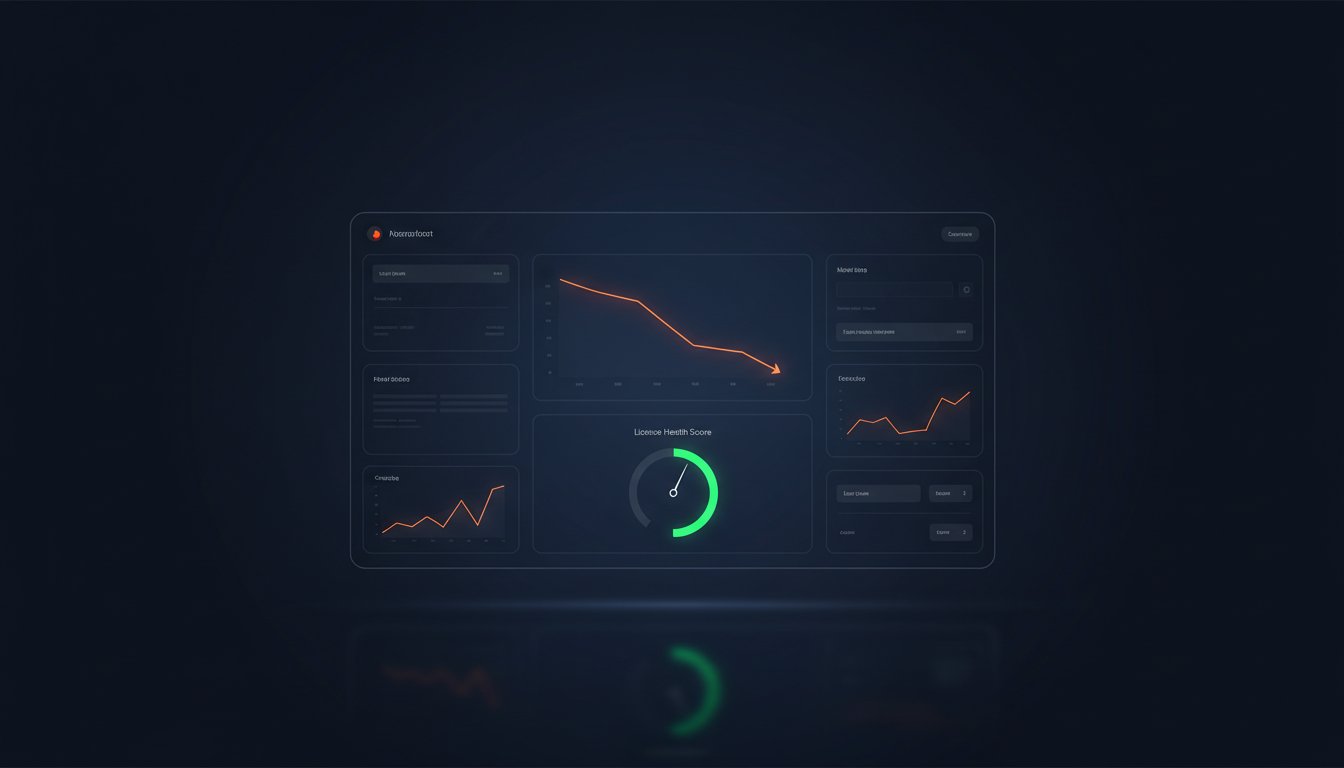
Gartner reports that 30% of SaaS spend is wasted on underutilized licenses, yet most IT leaders remain blinded by shadow IT and complex provisioning. You know that manual auditing is an inefficient use of your team's time. It's exhausting to navigate the maze of E3 versus E5 tiers while paying for ghost users who exited the organization months ago. You deserve total visibility into your software stack to ensure every dollar serves a purpose.
This 2026 playbook provides the exact steps to reduce m365 subscription costs by identifying license waste and right-sizing your utilization. We'll show you how to establish a clear Health Score for your tenant and implement automated workflows to reclaim licenses instantly. By following this spend recovery strategy, you can achieve a measurable reduction in your monthly SaaS spend of up to 35%. We'll start by uncovering the hidden gaps in your current licensing structure to bring immediate clarity and security to your budget.
Key Takeaways
- Identify and eliminate hidden SaaS sprawl that causes M365 expenditures to spiral out of control.
- Apply the "90-day rule" to reclaim inactive licenses and stop paying for unused software seats.
- Right-size your environment by strategically deploying E3, E5, and F-series tiers based on actual feature utilization.
- Deploy an automated governance framework to reduce m365 subscription costs by up to 35% using AI-driven intelligence.
- Transition from manual tracking to a proactive health score to maintain total visibility and permanent spend recovery.
The "Autopilot" Trap: Why M365 Costs Spiral in 2026
Microsoft 365 environments often suffer from SaaS sprawl, a condition where redundant applications and overlapping license tiers create invisible financial leaks. In 2026, this sprawl manifests as a chaotic mix of E3 and E5 licenses, specialized security add-ons, and redundant third-party tools. Organizations with more than 50 employees cannot rely on manual spreadsheets to reduce m365 subscription costs; the data changes too fast for human intervention. Tracking licenses manually leads to a 15% margin of error in seat counts, resulting in thousands of dollars in wasted monthly spend.
To regain control, you must distinguish between two primary budget killers. Unassigned licenses are seats you pay for that sit in your tenant without a user. Inactive licenses are assigned to a user who hasn't logged in for 30 days or more. Both represent immediate recovery opportunities. The M365 Health Score is a single, quantifiable metric that measures the ratio of utilized license features against total monthly expenditure to determine financial efficiency.
The Hidden Costs of 2026: Copilot and AI Add-ons
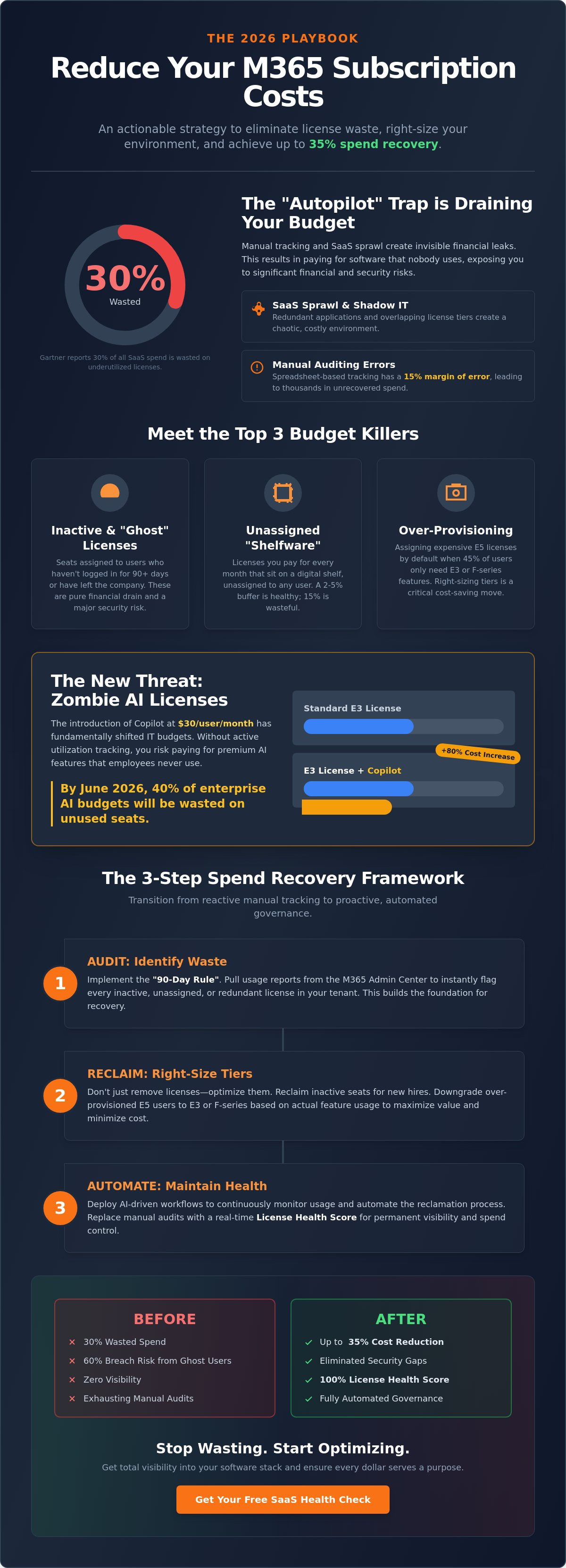
The introduction of Copilot at $30 per user, per month has fundamentally shifted IT budgets. This single add-on can increase a standard E3 seat cost by over 80%. Many firms face the risk of "zombie AI licenses," where premium seats are provisioned but users never move beyond basic prompts. By June 2026, 40% of enterprise AI budgets will be wasted without active utilization tracking. You must use automated monitoring to correlate Copilot spend with actual adoption metrics to justify these premium costs.
The Lifecycle of a Wasted License
Waste begins the moment an employee leaves. If offboarding takes five days, and the license remains active until the next annual renewal, you're paying for a "ghost" seat. IT departments often maintain these accounts as a safety net for data access. This is a mistake. Keeping inactive accounts live creates a massive security vulnerability, as 60% of data breaches involve stagnant credentials. Instead of paying for a full license "just in case," use shared mailboxes or cold storage to preserve data while you reduce m365 subscription costs by deprovisioning the seat immediately. Efficiency requires a proactive approach to the license lifecycle:
- Provisioning: Assigning the lowest viable license tier based on actual job requirements.
- Monitoring: Identifying users who haven't opened a desktop app in 45 days.
- Reclamation: Harvesting unused licenses to fulfill new hire requests instead of buying more.
Visibility is the only cure for spend chaos. When you move from "autopilot" to active management, you transform your M365 environment from a liability into a lean, high-performance asset.
The Audit Framework: Identifying Inactive and Redundant Licenses
Visibility is the first step toward financial recovery. To effectively reduce m365 subscription costs, you must first illuminate the dark corners of your tenant. Most organizations pay for licenses that haven't been touched in months. You can find these by pulling an Inactive Users Report directly from the Microsoft 365 Admin Center.
Follow these steps to generate your data:
- Log in to the M365 Admin Center and navigate to Reports, then Usage.
- Click on the Active users card and select View more.
- Adjust the timeframe to 90 days.
- Export the list to a CSV file to filter the Last Activity Date column.
Apply the 90-day rule here. If a user hasn't logged into a service for 90 days, the license is a candidate for reclamation. For users with minimal activity, consider a downgrade rather than a full deletion. Redundant licenses also hide in plain sight. It's common to find users with an E5 suite who also carry standalone licenses for Visio or Project. These overlaps represent pure waste. You can automate this discovery process using a SaaS License Health Check to instantly flag these inefficiencies.
Detecting Unassigned Licenses and Over-Provisioning
Check your inventory by navigating to Billing and then Your Products. This screen shows exactly how many seats you've purchased versus how many are assigned. Unassigned seats are "shelfware" that drain your budget every month. While some IT leaders insist on a 15% buffer for new hires, a 2% to 5% buffer is more appropriate for 2026 growth patterns. This audit is the fastest way to reduce m365 subscription costs before your next renewal cycle.
Over-provisioning is another silent killer. Many organizations default to E5 licenses for every employee. However, data shows that 45% of users only require E1 or F3 features like email and web-based apps. Matching the license tier to actual job requirements prevents you from paying for security and analytics features that never get used.
Managing SharePoint and Power Automate Overages
Storage costs can escalate quickly. Monitor your SharePoint site collections to identify those nearing their limits. Microsoft charges significant fees for storage overages once you exceed your tenant's pooled allocation. Similarly, audit your Power Automate flows for "Premium" triggers. These often incur per-user or per-flow monthly fees that can be consolidated or optimized through better logic design. Storage optimization directly impacts the Total Cost of Ownership by removing high-margin add-on fees from your monthly bill. To maintain this level of precision, consider using a SaaS management platform to monitor your utilization trends automatically.
Right-Sizing Tiers: E3 vs. E5 and the Strategic Use of F-Series
One-size-fits-all licensing is a recipe for financial waste. Most organizations pay for E5 features that sit idle for months. You can significantly reduce m365 subscription costs by adopting a "Mix and Match" approach. This strategy assigns licenses based on actual job requirements rather than departmental defaults. It eliminates the habit of over-provisioning every employee with the most expensive tier available.
Microsoft 365 E5 costs roughly $216 more per user annually than E3. For a 1,000-user enterprise, that represents a $216,000 premium. Is your team actually using the advanced eDiscovery or Power BI Pro capabilities? Data from this Microsoft 365 E3 vs. E5 in 2026 comparison shows that many firms fail to reach the ROI threshold for E5 upgrades. Don't ignore F1 and F3 licenses either. These tiers serve employees who don't sit at desks. They provide essential access to Teams and SharePoint at a fraction of the E3 price point.
When to Downgrade (and When to Keep) the E5 Tier
IT leaders should audit utilization monthly. If your security team uses third-party tools for endpoint protection, you're paying for Defender for Endpoint twice. Move to E3 if:
- Power BI Pro usage is below 10% of the licensed group.
- Advanced compliance features aren't required for specific roles.
- Third-party security stacks overlap with Microsoft's E5 offerings.
Downgrading a 500-person team from E5 to E3 can save over $100,000 annually without impacting core productivity. Security policies remain intact as long as you map permissions before the transition. This shift ensures you only pay for the high-end security and analytics features your power users actually touch.
Leveraging Shared Mailboxes and Free Tiers
Stop paying for ghost users. When an employee leaves, convert their account to a Shared Mailbox. This preserves data for free and stops the billing clock immediately. For users who only need web access, Business Basic is a viable alternative to Enterprise tiers. It provides the same collaborative power without the heavy desktop app licensing fees. Use unlicensed accounts for service purposes or administrative tasks to maintain security without adding to the monthly invoice. This level of visibility is the only way to effectively reduce m365 subscription costs and eliminate shelfware across the organization.
5 Steps to Automated Spend Recovery and Governance
Manual oversight can't keep pace with the dynamic nature of modern SaaS environments. To effectively reduce m365 subscription costs, you need a system that identifies waste before it compounds. Follow this 5-step framework to transition from manual tracking to automated recovery.
- Step 1: Connect your tenant. Link your M365 environment to an AI-native intelligence platform like LicenseIQ. A 5-minute scan provides total visibility into your licensing landscape and uncovers hidden inefficiencies.
- Step 2: Trigger activity alerts. Configure automated notifications for any license showing zero activity for 30 consecutive days. Inactive accounts represent 25% of typical SaaS waste and should be flagged immediately.
- Step 3: Integrate HR triggers. Build an automated workflow that reclaims licenses the moment an employee's status changes in your HRIS. This prevents "zombie" accounts from draining your budget.
- Step 4: Launch the Spend Recovery Dashboard. Centralize your financial data. Use real-time visualization to show stakeholders exactly where money is being reclaimed and how the budget is performing.
- Step 5: Close the Governance Loop. Establish a monthly right-sizing cadence. Annual reviews are too slow for a 2026 business cycle; monthly adjustments ensure your stack remains lean and responsive to headcount changes.
Automating the Offboarding Workflow
License leakage occurs when IT isn't notified of employee departures in a timely manner. By integrating your HRIS with your M365 management layer, you ensure instant reclamation. This automation captures the 15% of spend typically lost to departures that weren't properly processed. For a detailed roadmap on securing these accounts, review our Office 365 Offboarding Checklist 2026 to protect your data and your budget.
Setting Up the Spend Recovery Dashboard
Financial leaders require clarity, not raw data. Your dashboard must highlight three critical metrics: the overall Health Score, total Recoverable Spend, and the Utilization Percentage. These KPIs allow you to move from reactive auditing to proactive governance. Automated dashboards are the fastest way to reduce m365 subscription costs because they eliminate manual monthly spreadsheets that are often 40% inaccurate by the time they reach a CFO's desk. You gain a single source of truth that updates every 24 hours.
Stop guessing your software needs and start measuring them with precision. Scan your M365 tenant now to uncover hidden savings in minutes.
Beyond the Audit: Maintaining a 100% License Health Score
Manual audits belong in the past. By 2026, the average enterprise manages over 350 separate SaaS applications, making spreadsheets a liability rather than a tool. Relying on human memory or quarterly reviews to reduce m365 subscription costs is a recipe for financial waste. LicenseIQ serves as the definitive antidote to this operational chaos. The platform replaces the "point-in-time" audit with a persistent License Health Score. This metric provides a real-time percentage of your licensing efficiency. It doesn't just flag issues; it provides specific recommendations with exact dollar values attached. You see the waste. You see the solution. You see the recovered budget. Most organizations identify an immediate 35% in potential savings during their initial connection.
Continuous Monitoring vs. Annual Renewals
Waiting for your Enterprise Agreement (EA) renewal to optimize is a mistake that costs mid-sized firms upwards of $45,000 in unrecovered spend every year. Annual reviews are static. They fail to capture the "license creep" that occurs when employees offboard or project requirements change mid-quarter. Continuous financial accuracy ensures your M365 bill reflects your actual headcount every day of the year. This proactive approach eliminates the stress of renewal season. You can find more details on these strategies in our Microsoft 365 License Optimization Guide. Stop paying for "shelfware" that sits idle for months. Transitioning to a model of constant oversight turns your IT department from a cost center into a lean, value-driven operation.
Getting Started with LicenseIQ
Complexity often kills progress. We designed LicenseIQ to remove the friction from M365 governance. The platform connects to your tenant in under five minutes. You don't need a specialized IT degree or a week of training to see results. The interface is direct and results-first. We utilize the Model Context Protocol to enable automated governance across your entire stack. This technology ensures your policies remain enforced without constant manual intervention. It identifies dormant accounts and redundant license tiers before they impact your bottom line. It's time to stop guessing and start measuring. Scan your tenant for free and find your Health Score at LicenseIQ. Take the first step toward a 100% optimized environment today.
Stop the 2026 M365 Spend Spiral
Managing a modern SaaS stack requires more than occasional audits. You've seen how the "Autopilot" trap leads to ballooning budgets and why right-sizing between E3, E5, and F-series licenses is non-negotiable for financial health. By implementing a structured recovery playbook, you can eliminate redundant seats and reclaim wasted capital. The goal isn't just a one-time fix; it's maintaining a 100% License Health Score through automated governance and continuous monitoring.
Visibility is your strongest weapon against hidden costs. When you reduce m365 subscription costs, you free up resources for strategic growth rather than administrative waste. LicenseIQ provides the precision needed to identify every inactive user and optimize every tier. You can save up to 35% on software subscriptions and secure your entire environment with AI-native workflows that act before costs escalate.
Don't let your 2026 budget be dictated by legacy oversight. Discover and recover your wasted M365 spend with LicenseIQ and get your personalized Health Score in minutes. Your path to total visibility and operational excellence starts today.
Frequently Asked Questions
How much can I realistically save by optimizing my M365 licenses?
Organizations typically recover 30% of their total spend by applying strict optimization protocols. Gartner data indicates that 25% of software licenses go unused in the average enterprise environment. By reclaiming these idle seats and right-sizing your subscriptions, you stop immediate financial leakage and improve your overall bottom line.
Will deleting an inactive user’s license also delete their data?
Removing a license triggers a 30 day data retention period before Microsoft permanently deletes the associated mailbox and OneDrive files. You must convert the user's mailbox to a Shared Mailbox or apply a Litigation Hold to preserve data without paying for an active seat. This process secures historical data while eliminating monthly recurring costs for departed employees.
Is it possible to mix different Microsoft 365 license tiers in one tenant?
You can mix multiple license tiers like E3, E5, and F3 within a single tenant to match specific user requirements. Many organizations find that 40% of their staff only need basic frontline features rather than full enterprise suites. Profiling your workforce ensures you pay for actual usage rather than high-tier defaults for every employee.
How do I identify which users are actually using their Copilot for M365 licenses?
Use the Microsoft 365 Admin Center usage reports to track Copilot for Microsoft 365 activation and engagement levels. If a user hasn't interacted with the AI assistant in 90 days, you should reclaim that license for another user. Monitoring these premium seats prevents significant budget leakage on unused features that cost $30 per month.
What is the difference between an unassigned license and an inactive user?
An unassigned license is a paid subscription sitting empty in your inventory, while an inactive user is an assigned seat that hasn't logged in for 30 or more days. Both categories represent direct waste. Identifying these segments allows you to cancel surplus subscriptions and reassign active ones to new hires without purchasing more stock.
Can I downgrade a license tier mid-contract or only at renewal?
You can't downgrade your license tier mid-contract if you're on a New Commerce Experience (NCE) annual term. These agreements lock in your seat count and SKU for 12 months. You have a 168 hour window at the end of the term to reduce your commitment or switch to lower-cost tiers to avoid another year of overspending.
How often should I perform a Microsoft 365 license audit?
Perform a comprehensive audit every 30 days to catch license bloat before your next billing cycle. Quarterly reviews are the absolute minimum for organizations with over 500 seats. Frequent monitoring prevents shadow IT and orphan accounts from inflating your budget by a projected 15% annually if left unchecked.
Does Microsoft provide a tool to find wasted licenses automatically?
Microsoft offers the Adoption Score and usage reports within the Admin Center to track basic activity across your tenant. While these tools show who's logging in, they don't automatically suggest the most cost-effective license mix for your specific needs. You'll need more granular data to effectively reduce m365 subscription costs and eliminate overlapping feature sets across different departments.


