
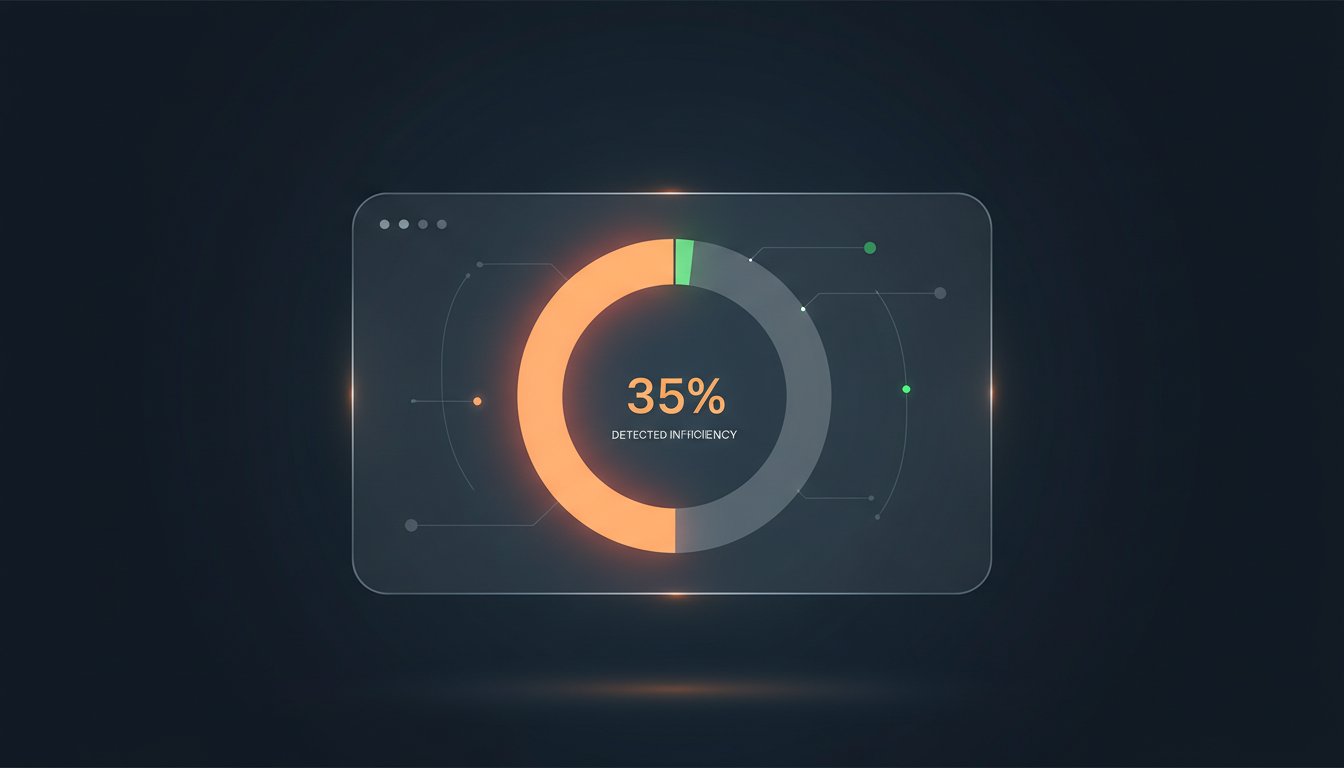
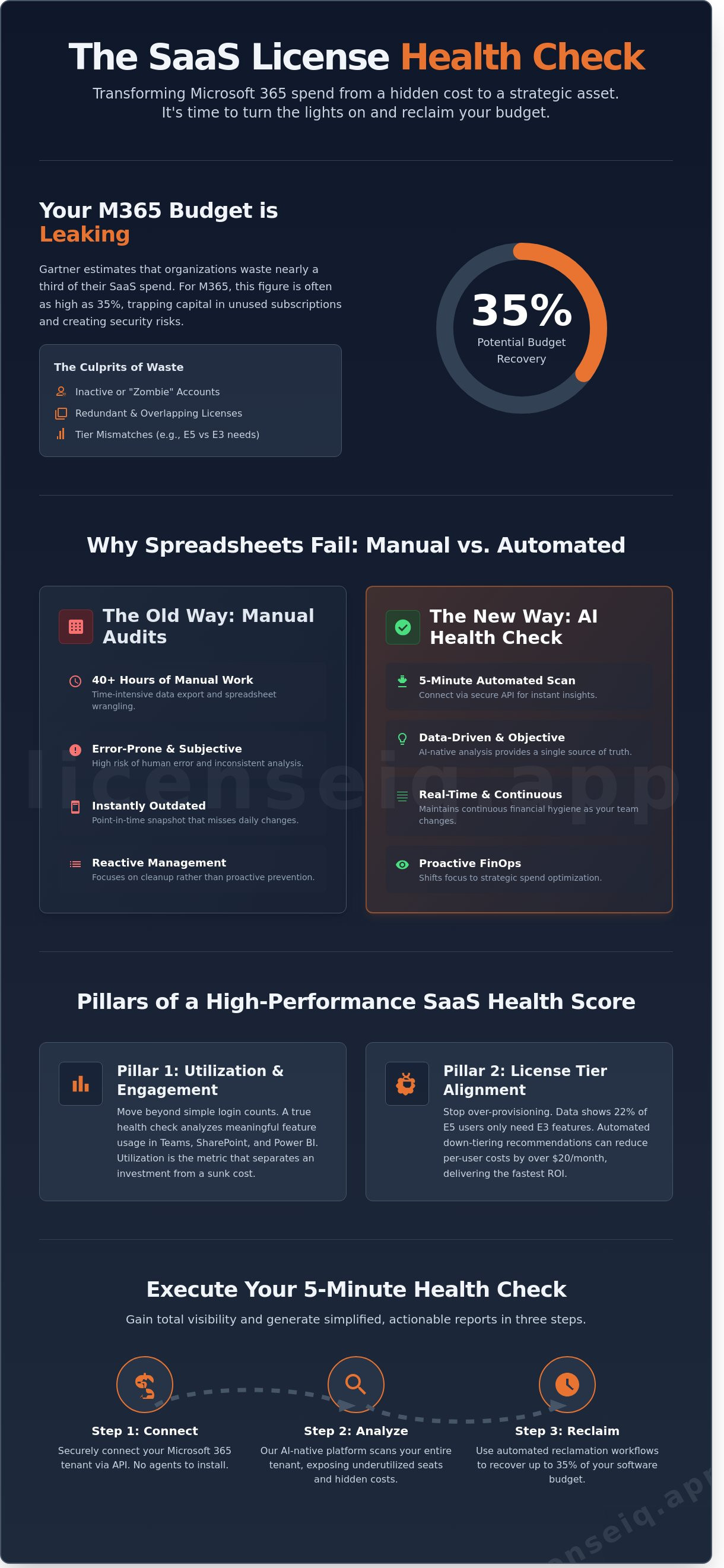
Did you know that 35% of your Microsoft 365 budget is likely funding licenses that nobody actually uses? Gartner estimates that organizations waste nearly one third of their SaaS spend on underutilized software. If you're still relying on manual spreadsheets to track M365 tiers, you're missing hidden costs from inactive users and redundant seats. A comprehensive saas license health check is no longer optional; it's a financial necessity for 2026. You likely agree that the complexity of Microsoft licensing makes transparency feel impossible, especially when your data is trapped in fragmented silos.
We'll show you how to eliminate this waste and improve your Microsoft 365 Health Score in under five minutes. You'll discover how to identify a precise dollar-value for potential savings while shifting from manual tracking to automated reclamation workflows. This article provides a step by step framework to gain total visibility into your stack and generate the simplified reporting your management team demands. It's time to turn the lights on and reclaim your budget.
Key Takeaways
- Shift from reactive IT management to proactive SaaS FinOps to transform your software stack into a lean, strategic asset.
- Discover how a saas license health check replaces 40+ hours of manual spreadsheet audits with a five-minute automated scan.
- Establish a License Health Score to provide IT and Finance leaders with a single, data-driven source of truth for software utilization.
- Learn the exact process for connecting your M365 tenant via secure API to instantly expose underutilized seats and hidden costs.
- Leverage AI-native benchmarking to recover up to 35% of your software budget while maintaining continuous financial hygiene.
What is a SaaS License Health Check and Why Does Your SMB Need One?
A saas license health check is a diagnostic audit designed to dissect software utilization and cost efficiency. It is not a passive inventory list. It is a surgical strike against waste. While traditional Software Asset Management (SAM) often focuses on basic compliance and inventory, a health check prioritizes spend recovery and operational agility. It moves your organization from reactive IT management to proactive FinOps, ensuring every dollar spent on software delivers measurable value.
In 2026, the economic landscape demands this precision. Subscription costs for core platforms are rising, and SMBs are feeling the squeeze. A health check is the antidote to this financial pressure. Unlike traditional audits that move slowly and often look backward, a modern health check provides immediate visibility. It identifies exactly where your budget is leaking and offers a roadmap for recovery. At LicenseIQ, we believe transparency is the cornerstone of financial health. You cannot manage what you cannot see.
The Anatomy of Software Waste in 2026
Waste in the SaaS ecosystem is rarely the result of a single error. It is a cumulative problem. Three main culprits drive this leakage: inactive users who no longer need access, redundant licenses across overlapping tools, and tier mismatches where users are over-provisioned for features they never touch. These wasted microsoft 365 licenses frequently accumulate during rapid hiring phases or through fragmented offboarding processes. Data shows that the average SMB loses 30% to 35% of its SaaS budget to these inefficiencies. Without a saas license health check, this capital remains trapped in unused subscriptions.
The Risks of Skipping Your Quarterly Health Check
Ignoring your license health creates more than just financial leakage. It impacts departmental budgets and restricts your ability to invest in new growth initiatives. Security is another critical concern. "Zombie" accounts, which are active licenses assigned to former employees, represent significant vulnerabilities. These unmanaged access points are prime targets for breaches. Furthermore, unmanaged SaaS sprawl creates compliance risks that can lead to costly penalties. Regular checks eliminate these "dark" corners of your tech stack, replacing chaos with total visibility and control. Efficiency isn't just about saving money; it's about securing your digital perimeter.
The 4 Pillars of a High-Performance SaaS Health Score
Effective license management requires a single source of truth. A License Health Score provides this by translating technical telemetry into financial clarity. IT teams often struggle to justify costs to Finance without hard data. Automated scoring replaces subjective guesswork with objective metrics. It moves the needle from "we think we're optimized" to "we know we're efficient." Relying on point-in-time snapshots is a recipe for budget leakage. Real-time visibility ensures your saas license health check remains accurate as your workforce scales. It's about moving away from reactive cleanup and toward proactive management.
Pillar 1: Utilization and Engagement Metrics
"Active" is a deceptive term in SaaS. A user who logs in once a month isn't truly active; they're an unnecessary expense. You must track meaningful feature usage across the M365 stack. This includes specific interactions in Teams, SharePoint, and Power BI. If a user only checks email, they don't need a premium seat. "Utilization is the only metric that separates a software investment from a sunk cost." High-performance scores rely on these deep engagement insights to drive reclamation. You can audit your current stack to see how these metrics impact your bottom line.
Pillar 2: License Tier Alignment (Right-Sizing)
Waste often hides in premium tiers. Many organizations default to E5 plans for every employee. Data shows that roughly 22% of these users typically only require E3 or even F3 features. Implementing a microsoft 365 license optimization strategy ensures users have exactly what they need. Automated down-tiering recommendations remove the manual labor from this process. This alignment can reduce per-user costs by over $20 monthly in many enterprise scenarios. It's the fastest way to recover spend without impacting productivity.
Pillar 3: Governance and Offboarding Hygiene
Security and savings go hand in hand. Ghost licenses from former employees are a primary source of waste. Following a strict office 365 offboarding checklist keeps your health score high. Automated reclamation workflows ensure that when a person leaves, the license returns to the pool immediately. This prevents shadow IT from resurfacing and stops the cycle of buying new seats while idle ones sit unused. Proper governance turns your stack into a lean, secure environment. It eliminates the 15% to 20% "buffer" many IT managers keep just in case.
Pillar 4: Predictive Financial Forecasting
A high-performance score looks forward, not just backward. It uses historical usage patterns to predict future needs. This eliminates the panic of true-up season. By analyzing your saas license health check data, you can forecast growth with high accuracy. This level of transparency builds absolute trust with the CFO. It ensures that every dollar spent is backed by a data-driven requirement, not a guess.
Manual Audits vs. AI-Native Health Checks: Why Spreadsheets Fail
Manual audits are a relic of the past. A standard manual saas license health check takes an IT manager approximately 40 hours to complete for a mid-sized firm. You export CSVs. You cross-reference spreadsheets. You chase department heads for confirmation. By the time you compile the final report, the data is already seven days old. It's stale. In contrast, AI-native systems complete this entire process in under 5 minutes.
Human-led audits in complex Microsoft tenants suffer from an average error rate of 18%. When you manage more than 50 users, manual tracking systems break under the weight of constant updates. You miss the nuances of E3 versus E5 step-ups. You overlook the subtle shifts in user behavior that signal a license is no longer needed. Spreadsheets can't scale with a growing workforce; they only create more administrative debt.
The Hidden Cost of Manual Tracking
The math behind manual tracking is sobering. An IT manager earning $125,000 annually costs roughly $60 per hour. Spending a full work week on a single audit burns $2,400 in labor costs alone. This figure doesn't account for the "forgotten" licenses that slip through the cracks. If your audit misses just 10 premium licenses during that week, the resulting waste cancels out any manual savings you hoped to achieve.
The real damage is the opportunity cost. While your lead engineer cleans up rows in Excel, your strategic infrastructure projects stall. You're paying a specialist premium for basic data entry. LicenseIQ eliminates this friction. We turn a week of manual labor into a background task that runs autonomously. This ensures your talent focuses on growth, not cleanup.
The AI-Native Advantage: Automated Spend Recovery
True AI-native platforms leverage the Model Context Protocol (MCP) to integrate directly with your software stack. This isn't a simple script. It's a system that understands the context of your operations. AI identifies deep patterns in inactive office 365 users reports that a human auditor will inevitably miss.
AI looks for more than just "last login" dates. It analyzes API calls, third-party integrations, and cross-platform usage patterns. This proactive approach ensures you receive alerts before the next billing cycle starts. You don't react to waste after the invoice arrives; you prevent the spend from happening. Total visibility is the only antidote to the chaos of unmanaged SaaS stacks. We provide the clarity needed to protect your corporate resources with 100% precision.
How to Execute a 5-Minute Health Check for Microsoft 365
Efficiency defines modern IT leadership. You don't have hours to manually audit spreadsheets. A saas license health check should be fast, precise, and actionable. By following these five steps, you can transform your M365 environment from a cost center into an optimized asset in under five minutes.
- Step 1: Connect via OAuth. Grant secure, read-only access to your Microsoft 365 tenant using industry-standard API protocols.
- Step 2: Automated Scan. The system analyzes all active users, assigned licenses, and historical usage logs over the last 90 days.
- Step 3: Review the Dashboard. View your total spend recovery potential, categorized by license type and user activity.
- Step 4: One-Click Reclamation. Instantly identify and de-provision inactive or redundant seats to stop immediate waste.
- Step 5: Continuous Monitoring. Set automated alerts to flag underutilized licenses the moment they stop providing value.
Connecting Your Tenant Securely
Security remains the primary barrier to visibility. Traditional audits rely on CSV exports, but these are static and often outdated by the time they're reviewed. Using a secure API connection via OAuth ensures you're working with real-time data without exposing sensitive credentials. We prioritize read-only permissions to maintain your security posture while extracting the necessary utilization metadata. "Security is the foundation of any valid SaaS health check; without encrypted API access, you are only seeing half the picture."
Interpreting Your Spend Recovery Dashboard
The dashboard translates complex usage logs into a clear dollar value. Focus first on the "low-hanging fruit." This includes licenses assigned to former employees or accounts that haven't logged in for over 30 days. According to internal benchmarks, 15% of M365 spend is often tied to these orphaned accounts. Use this data to forecast your 2026 budget with 100% accuracy. Instead of guessing your needs for the next renewal, you'll have a data-driven roadmap based on actual employee behavior. This transparency eliminates the "buffer" licenses that IT managers often purchase to avoid shortages, saving an additional 10% on annual contract costs.
Stop guessing and start optimizing your software stack with total precision. Run your M365 saas license health check today and uncover hidden savings instantly.
LicenseIQ: The Antidote to SaaS Sprawl and Wasted Spend
SaaS sprawl isn't just an IT headache; it's a financial leak that drains 30% of average software budgets according to 2024 industry benchmarks. LicenseIQ functions as the definitive antidote. Built as an AI-native platform specifically for SMB license governance, it transforms chaos into clarity. Most tools provide static data that's obsolete by the time you read it. LicenseIQ provides a dynamic Health Score. This metric serves as your recurring benchmark for financial hygiene, identifying exactly where your M365 investment is underperforming.
We move past simple reporting. Our Automated Governance Workflows act on the data. They reclaim unused seats and downgrade over-provisioned accounts without requiring manual intervention from your team. This level of precision allows the tool to pay for itself within the first billing cycle. You aren't just buying software; you're installing a digital auditor that never sleeps. It tracks every login and every feature used to ensure your spend matches your actual needs. By automating the mundane tasks of license reclamation, your IT team can focus on high-value projects instead of spreadsheet management.
Continuous Spend Recovery vs. One-Time Audits
One-time audits are snapshots of the past. They fail the moment a new employee joins or a project ends. LicenseIQ offers a tiered monthly subscription to provide ongoing protection against budget creep. For organizations prioritizing long-term financial hygiene, our annual subscription ensures your saas license health check is a permanent fixture of your operations. This continuous monitoring ensures you never pay for a "zombie" license again. If an account hasn't been accessed in 30 days, the system identifies it for immediate removal. Visibility is the only way to eliminate waste effectively.
Getting Started with Your First Health Score
The onboarding process is frictionless for M365 admins. There's no complex integration or weeks of setup required. Connect your environment and gain immediate visibility through the Spend Recovery Dashboard. You'll see exactly how much capital is trapped in unused licenses within minutes. Our system analyzes historical usage patterns to suggest immediate downgrades. Stop guessing and start recovering your budget today. Implementing a saas license health check is the fastest way to secure your 2026 fiscal goals and stop the cycle of overpayment.
- Immediate Visibility: Connect in minutes to see your total waste.
- Automated Action: Let AI handle the downgrades and deprovisioning.
- Budget Protection: Ensure every dollar spent on M365 generates value.
Secure Your 2026 Budget with Total License Visibility
Managing a growing software stack shouldn't feel like navigating a maze. A saas license health check provides the transparency needed to eliminate shadow IT and reclaim wasted budget immediately. Manual spreadsheets are obsolete. They simply can't keep pace with the dynamic nature of modern cloud environments where user counts fluctuate daily. By moving to an AI-native system, you replace guesswork with financial accuracy and operational clarity. This shift ensures your IT infrastructure supports growth rather than hindering it with hidden costs.
LicenseIQ connects to your Microsoft 365 environment in minutes through a secure API. The platform identifies up to 35% in immediate software savings by uncovering underutilized seats and redundant subscriptions that often go unnoticed. It's built specifically for SMB leaders who demand efficiency without the technical bloat of enterprise tools. You don't have to let unmanaged licenses drain your resources any longer. It's time to turn your software spend into a strategic advantage that fuels your company's expansion.
Start Your 5-Minute SaaS License Health Check Now
Take control of your digital infrastructure and start optimizing your bottom line today.
Frequently Asked Questions
Is a SaaS license health check the same as a software audit?
No, a SaaS license health check is a proactive optimization strategy while an audit is a reactive compliance event. Audits focus on finding under-licensed software to trigger penalties. In contrast, a health check identifies over-licensed accounts and redundant subscriptions to return capital to your budget. Gartner research indicates that 25% of SaaS spending is wasted; we help you find that waste before a vendor finds a compliance gap.
How much can I realistically save with a SaaS license health check?
Most organizations recover between 15% and 35% of their Microsoft 365 spend within the first 90 days. By performing a saas license health check, you uncover inactive accounts and "zombie" licenses that drain resources. A typical company with 500 seats often discovers 50 or more unassigned or underutilized licenses during the initial scan. These findings translate into immediate cost avoidance during your next renewal cycle.
Does a health check require me to change my Microsoft 365 provider?
You don't need to change your Cloud Solution Provider or licensing partner to run a health check. Our system operates as an independent diagnostic layer that connects directly to your tenant. It provides the objective data you need to negotiate better terms or reduce seat counts with your existing vendor. You keep your current relationships while gaining the transparency needed to manage them effectively.
How long does it take to see results from a LicenseIQ health check?
You'll receive an initial utilization report within 24 hours of connecting your tenant to our platform. The system scans your environment instantly to flag high-risk items like active accounts for former employees. Within 7 days, you get a comprehensive roadmap for license rightsizing. This plan is based on 90 days of historical usage data to ensure your optimization decisions don't disrupt employee workflows.
What is a "good" SaaS license health score for an SMB?
A healthy organization maintains a score of 90% or higher, meaning 9 out of 10 licenses are fully utilized. Most SMBs start with a score below 65% because they lack visibility into feature adoption. We target the 90th percentile by automating the removal of unused E5 features. Improving your score directly correlates with higher operational efficiency and reduced financial waste across your entire software stack.
Can I run a health check on my own using the Microsoft 365 Admin Center?
The Microsoft 365 Admin Center provides basic usage data, but it lacks the deep analysis required for a thorough saas license health check. Native tools don't automatically correlate license costs with specific feature adoption patterns. LicenseIQ identifies users on premium plans who only use basic features, a gap that standard reports miss. Our platform turns raw data into actionable savings recommendations that manual exports can't replicate.
Is my data safe when connecting a health check tool to my M365 tenant?
Your data remains secure through OAuth 2.0 authentication and strictly read-only permissions. We don't access your emails, private files, or sensitive company communications. The system only analyzes metadata related to license assignments and login timestamps. This approach ensures 100% data privacy compliance while providing the total visibility required to manage your software spend securely.
How often should our company perform a SaaS license health check?
You should perform a health check at least once per quarter to prevent license creep from eroding your budget. SaaS environments are dynamic, with a 30% average annual turnover in staff and shifting project requirements. High-growth companies benefit from monthly monitoring to ensure every new hire receives the correct license tier. Regular checks transform license management from a yearly headache into a continuous stream of operational savings.


