
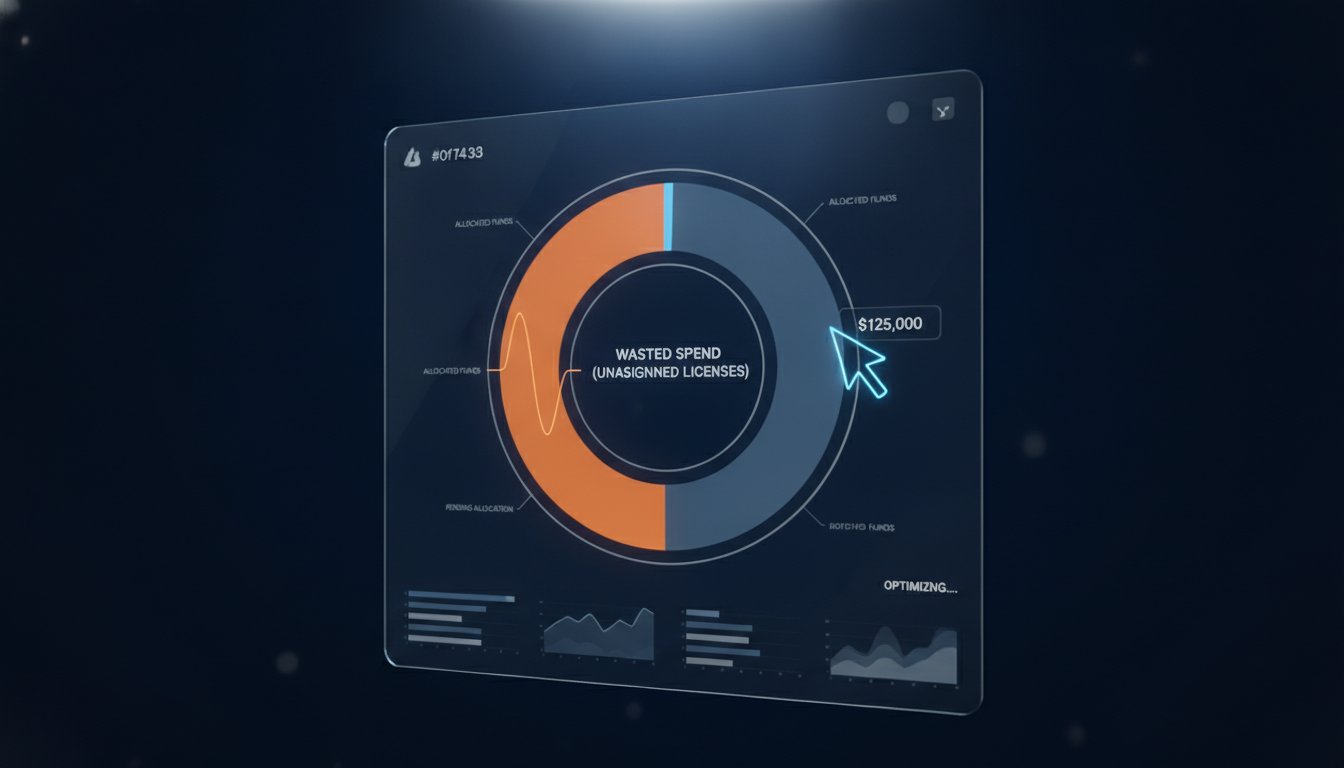
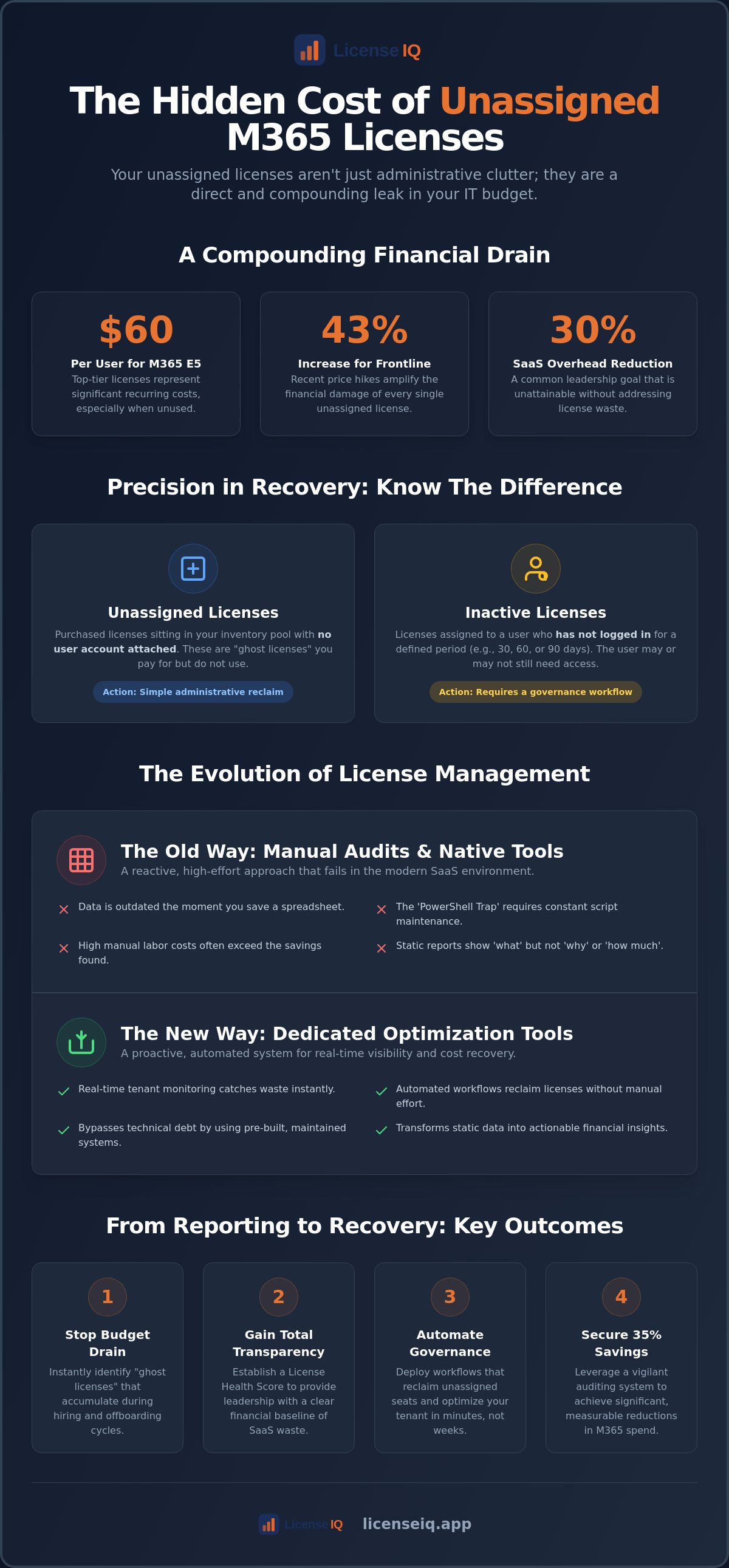
With Microsoft 365 E5 prices now reaching $60 per user and frontline configurations seeing increases as high as 43% this year, your unassigned licenses aren't just administrative clutter; they're a direct leak in your IT budget. Every month you delay, your organization pays a premium for resources that nobody is using. Finding a reliable unassigned m365 license reporting tool is no longer optional for leadership tasked with slashing SaaS overhead by 30% in this high-cost environment.
It's a common frustration for technical operations. You likely agree that manual spreadsheets are outdated the moment you hit save, while the native M365 Admin Center often hides the granular data needed for true spend recovery. You need clarity, not more clunky interfaces. This article promises to show you how to identify every wasted license and automate recovery in minutes, transforming your licensing from a chaotic expense into a lean, audited system. We will preview the best tools for 2026 that provide a clear dollar-value report of your waste and offer automated workflows to reclaim that capital instantly.
Key Takeaways
- Identify "ghost licenses" that accumulate during hiring cycles and stop the immediate drain on your IT budget.
- Evaluate the limitations of native Microsoft dashboards versus a specialized unassigned m365 license reporting tool to eliminate manual script maintenance.
- Establish a financial baseline using a License Health Score to provide leadership with total transparency regarding SaaS waste.
- Move beyond static reports by deploying automated governance workflows that reclaim unassigned seats and optimize your tenant in minutes.
- Leverage the LicenseIQ platform to secure up to 35% savings through a vigilant auditing system designed for SMB efficiency.
What is an Unassigned M365 License and Why Does It Matter?
An unassigned license is a purchased asset sitting in your inventory pool without a linked user account. It is inventory you pay for but do not use. These "ghost licenses" typically accumulate during rapid hiring cycles or when offboarding processes fail to include a seat reduction step. Since its evolution into the current Microsoft 365 ecosystem, licensing has become a complex matrix of over 555 different license types and 714 service plans. Without a dedicated unassigned m365 license reporting tool, this complexity quickly turns into a financial leak.
Financial impacts are immediate and compounding. IT leaders often discover that 10-15% of their total spend is tied to these dormant assets. Beyond the balance sheet, unassigned licenses signal poor security hygiene. If your IT department cannot account for every paid seat, they likely lack visibility into who has access to sensitive data. Total transparency is the only way to ensure your resources remain secure and your budget remains lean.
The Difference Between Unassigned and Inactive Licenses
Precision matters in spend recovery. Unassigned licenses are purchased seats sitting in a pool with no user attached. In contrast, inactive licenses are assigned to users who haven't logged in for 30, 60, or 90 days. Your reporting tool must distinguish between these two categories. Reclaiming an unassigned license is a simple administrative task, while addressing an inactive license requires a governance workflow to verify if the user still needs access. Mixing these categories leads to operational friction and missed ROI.
Why Manual Tracking Fails in 2026
The velocity of modern SaaS has made spreadsheets obsolete. A manual audit is a race you cannot win; the data is outdated the moment you hit save. Consider the hidden costs of manual labor. The hourly rate of an IT manager performing a manual audit often exceeds the value of the licenses they are trying to save. This creates a paradox where the act of saving money costs more than the waste itself. License bloat is the silent killer of IT budgets, representing the cumulative cost of unused seat capacity that grows unchecked over fiscal quarters. To stop the leak, you need an automated system like the LicenseIQ Platform that monitors your tenant in real time. Manual tracking is no longer a viable strategy for specialized leadership aiming for a 30% reduction in overhead.
Native Microsoft 365 Reporting vs. Dedicated Optimization Tools
Native tools like the Microsoft 365 Admin Center provide a snapshot, but they lack the depth required for true financial optimization. While some competitors claim running a report is a simple, straightforward process, the reality is a fragmented experience. You see seat counts, but you don't see the historical trends or the total cost of waste. This lack of oversight creates significant challenges in managing M365 licenses for organizations trying to hit strict 2026 budget targets. Reliance on native reporting often leads to a 'PowerShell trap.' Custom scripts require constant maintenance and high-level security permissions. As Microsoft introduces new beta Cloud Licensing APIs in Graph, your internal scripts will likely break, requiring more billable hours to fix. A dedicated unassigned m365 license reporting tool bypasses this technical debt by providing immediate clarity through a vigilant, pre-built system.
Native reports are static and reactive. They tell you 'what' you have in your inventory but fail to explain 'why' a license is unassigned or 'how much' it is costing you every month. Dedicated optimization tools bridge the automation gap. They transform static data into automated license governance. This allows you to reclaim seats without manual intervention, ensuring your tenant remains lean even during high-turnover periods. Speed to insight is the primary differentiator. You don't have to wait for a monthly audit to find waste when your tools monitor the environment every hour.
The Hidden Complexity of Native Billing Reports
In the Admin Center, 'assigned' doesn't always mean 'utilized.' A user might have an E5 license assigned but only use features found in Business Basic. Tracking this 'mix and match' across different departments is nearly impossible with manual tools. Understanding the nuances of various Microsoft 365 License Types is essential for a lean tenant. Without granular visibility, you are likely paying for premium features that remain untouched. Native reports often obscure these details, leaving you with a generic view of your subscription status rather than a precise breakdown of departmental usage.
Why Third-Party Tools Provide Superior ROI
Third-party platforms offer real-time visibility that periodic audits simply cannot match. Finance teams don't want technical logs; they want dollar-value recommendations that impact the bottom line. Native reports provide raw data, but a specialized unassigned m365 license reporting tool provides a clear financial strategy. By using a vigilant system, you turn obscured details into actionable savings. You can establish a baseline for your organization's health by viewing a Spend Recovery Dashboard to see exactly where the leak is happening. This proactive approach ensures that every dollar spent on licensing contributes to organizational growth rather than disappearing into a pool of unassigned seats.
5 Essential Features of a 2026 M365 Reporting Tool
Efficiency is the primary benchmark for IT leadership in 2026. As operational environments grow more complex, you can't rely on tools that merely display data. You need a system that translates technical inventory into financial strategy. A high-performance unassigned m365 license reporting tool must do more than count seats; it must drive spend recovery through five critical pillars. This shift from observation to action is how to find out if you're overpaying for M365 and immediately stop the budget leak.
- Automated Discovery: Your tool should connect to your tenant via API in minutes. Manual data entry is a failure point that introduces human error and latency.
- License Health Score: This single, high-level metric provides immediate clarity. It allows specialized leadership to track optimization progress across the entire organization at a glance.
- Spend Recovery Dashboard: Transparency is the cornerstone of trust. This dashboard visualizes exactly how many dollars are recoverable, making the business case for optimization undeniable to Finance.
- Granular Inactivity Tracking: Real waste often hides in feature sets. Identifying users with E5 licenses who only utilize E3-level features allows for precise downgrading and significant savings.
- Governance Workflows: Data without action is overhead. The ability to automate the reclamation of identified waste ensures your license hygiene remains meticulous without constant manual oversight.
The Role of AI in License Optimization
AI-native platforms identify waste patterns that manual filters miss. These systems analyze usage velocity and predict upcoming renewal needs with precision. By leveraging machine learning, the LicenseIQ Platform provides predictive forecasting that protects your budget from sudden spikes. This proactive auditing system is a core component of reducing M365 subscription costs. AI doesn't just look at the data; it acts as a vigilant digital auditor that suggests optimizations before the waste compounds.
Integration and Security Requirements
Security is non-negotiable when connecting third-party tools to your tenant. Read-only API access is the gold standard, ensuring the tool monitors data without the ability to alter critical configurations. Your unassigned m365 license reporting tool must be SOC2 compliant to meet enterprise-grade security standards. It's also vital that the platform supports the latest Microsoft Graph API protocols. This ensures your reporting remains stable even as Microsoft updates its backend infrastructure, preventing the technical debt associated with broken custom scripts.
From Reporting to Recovery: Implementing a Governance Workflow
Reporting identifies the problem; recovery solves it. Most administrators stop after generating a list of seats, but true optimization requires a prescriptive, step-by-step workflow. By deploying a robust unassigned m365 license reporting tool, you move from passive observation to active financial management. This process turns obscured data into reclaimed capital through five distinct phases.
- Step 1: Conduct a 5-minute scan to establish your baseline License Health Score. This provides an immediate snapshot of your current efficiency.
- Step 2: Segregate unassigned licenses from inactive user licenses. Unassigned seats are immediate "quick wins" for recovery, while inactive users require further investigation.
- Step 3: Implement a comprehensive Office 365 offboarding checklist. This ensures every departure triggers a license review, preventing the accumulation of "ghost" seats.
- Step 4: Automate the harvesting of licenses. Set rules to strip licenses from users who have officially left the company or moved to departments that don't require high-tier features.
- Step 5: Right-size your subscriptions before your next renewal. Use your data to negotiate a contract that matches actual usage rather than your peak seat count.
Setting Thresholds for Inactivity
Precision requires clear boundaries. You must determine the right window for reclamation, typically balancing between 30 and 90 days of zero activity. Short windows are aggressive for cost-cutting; 90-day windows account for extended leaves or seasonal work. Always communicate with department heads before pulling licenses to avoid operational friction. Automated Governance Workflows can then flag new spikes in unassigned licenses, allowing you to act before the next billing cycle hits.
Collaborating with Finance for Spend Recovery
Technical data must be translated into financial results to resonate with specialized leadership. When presenting to the CFO, focus on the metric of Recoverable Spend. Recoverable Spend is the total value of unassigned and inactive licenses currently draining your budget. Tracking the success of your microsoft 365 license optimization efforts provides the transparency needed to justify IT investments. You can view these metrics in real-time on a Spend Recovery Dashboard to show exactly how much capital has been returned to the business. This alignment between IT and Finance turns a technical burden into a strategic advantage.
Eliminate M365 Waste with LicenseIQ
LicenseIQ is the definitive unassigned m365 license reporting tool for SMBs that demand immediate financial results. While other platforms function as technical log viewers, LicenseIQ operates as a vigilant digital auditor. It doesn't just show you data; it identifies actionable waste and provides the tools to reclaim it. Specialized leadership needs a system that prioritizes the bottom line over technical complexity. We deliver that clarity by focusing on the financial health of your organization from day one.
The platform is built on AI-native intelligence that removes the need for complex PowerShell scripts or specialized IT degrees. This proactive approach allows you to secure up to 35% savings on your Microsoft 365 spend. Most organizations find that LicenseIQ pays for itself in weeks, not months. By automating the discovery of redundant seats and inactive accounts, you stop the budget leak before it compounds. Taking the first step is simple; you can establish your baseline by getting a free License Health Score today.
The 5-Minute Setup Process
Complexity is the enemy of efficiency. LicenseIQ requires no local agents and no complex installs. You simply use a secure, read-only API connection to connect your tenant in less than five minutes. This leads to an immediate "Aha!" moment where you see your total waste visualized in actual dollars. Transparency is no longer a goal; it becomes your operational reality. You can start your audit at licenseiq.app to uncover obscured details that native tools often hide.
Continuous Monitoring for Permanent Accuracy
License optimization isn't a one-time project. Your team grows, roles change, and departments shift, making manual audits obsolete almost instantly. LicenseIQ provides continuous monitoring to ensure your License Health Score remains high as your organization evolves. This persistent oversight maintains total financial transparency and prevents license bloat from returning. You get the peace of mind that comes from knowing a precise system is constantly guarding your corporate resources. With Automated Governance Workflows, you can set and forget your license hygiene, ensuring your IT budget remains lean and your resources remain secure.
Master Your License Governance and Reclaim IT Capital
The path to a lean tenant is now automated. The LicenseIQ platform connects to your tenant in minutes, providing an AI-native spend recovery dashboard that uncovers obscured details. You can save up to 35% on your M365 subscriptions by replacing fragmented spreadsheets with total financial transparency. It's time to secure your resources and eliminate operational disorder once and for all.
Stop wasting money on M365; get your Health Score with LicenseIQ now. Your organization deserves the clarity and security that comes from a meticulously managed environment.
Frequently Asked Questions
How do I find unassigned licenses in the Microsoft 365 Admin Center?
Navigate to the Microsoft 365 Admin Center, select Billing, and click on the Licenses tab. This view displays your current subscription inventory with a breakdown of "Assigned" versus "Available" seats. While this provides a basic count, it lacks the historical context needed to identify how long these seats have been sitting idle. For a deeper audit, you must cross-reference this list with user activity reports to ensure you aren't paying for "ghost" inventory.
Is there a free tool to report on M365 license usage?
Microsoft provides native reporting through the Admin Center and PowerShell at no additional cost. These tools allow you to pull basic seat counts and user activity logs manually. However, these free methods require significant administrative time to maintain and interpret. Most SMBs find that the labor cost of manual auditing quickly exceeds the price of a dedicated unassigned m365 license reporting tool that automates the process.
What is the best way to track inactive Office 365 users?
Tracking inactive users is most effective through the Usage section of the M365 Reports dashboard. You can filter users who haven't signed in for 30, 60, or 90 days across specific apps like Teams or Outlook. High-efficiency organizations use automated platforms to flag these accounts immediately. This proactive oversight prevents you from paying for premium licenses that employees no longer utilize.
How often should I run an unassigned license report?
You should run a license report at least once per month before your billing cycle closes. However, organizations with high turnover or rapid growth benefit from continuous, real-time monitoring. Waiting for a monthly audit often means paying for weeks of wasted seat capacity. A vigilant system catches unassigned license spikes the moment they occur, allowing for immediate spend recovery.
Can unassigned licenses be refunded by Microsoft?
Microsoft's New Commerce Experience (NCE) policy restricts refunds for unassigned licenses. You typically have a seven-day window after purchase or renewal to reduce seat counts for a prorated refund. Once that window closes, you are committed to the seat count for the remainder of the term. This makes proactive monitoring vital, as you cannot easily claw back funds once the commitment period begins.
Does removing a license from a user delete their data?
Removing a license does not immediately delete user data. Microsoft retains mailbox and OneDrive data for a 30-day grace period after a license is removed. During this time, you can reassign the license or export the data for archiving. After 30 days, the data is permanently deleted. Meticulous offboarding workflows ensure that data is secured before the license is reclaimed for the inventory pool.
What is a good License Health Score for an SMB?
A License Health Score of 95% or higher is the benchmark for a well-optimized SMB tenant. This score indicates that nearly every purchased seat is actively assigned and utilized by a verified user. Scores below 80% suggest significant "license bloat" and immediate opportunities for spend recovery. Maintaining a high score requires constant oversight and a commitment to eliminating obscured waste in your subscription inventory.
How can I automate the reclamation of unassigned licenses?
Automation requires connecting your tenant to a platform that supports Automated Governance Workflows. These systems monitor your inventory and automatically trigger reclamation actions when a user is offboarded or remains inactive for a set period. This "set and forget" approach eliminates the need for manual intervention. By using a specialized unassigned m365 license reporting tool, you transform license management from a technical chore into a streamlined financial strategy.


