
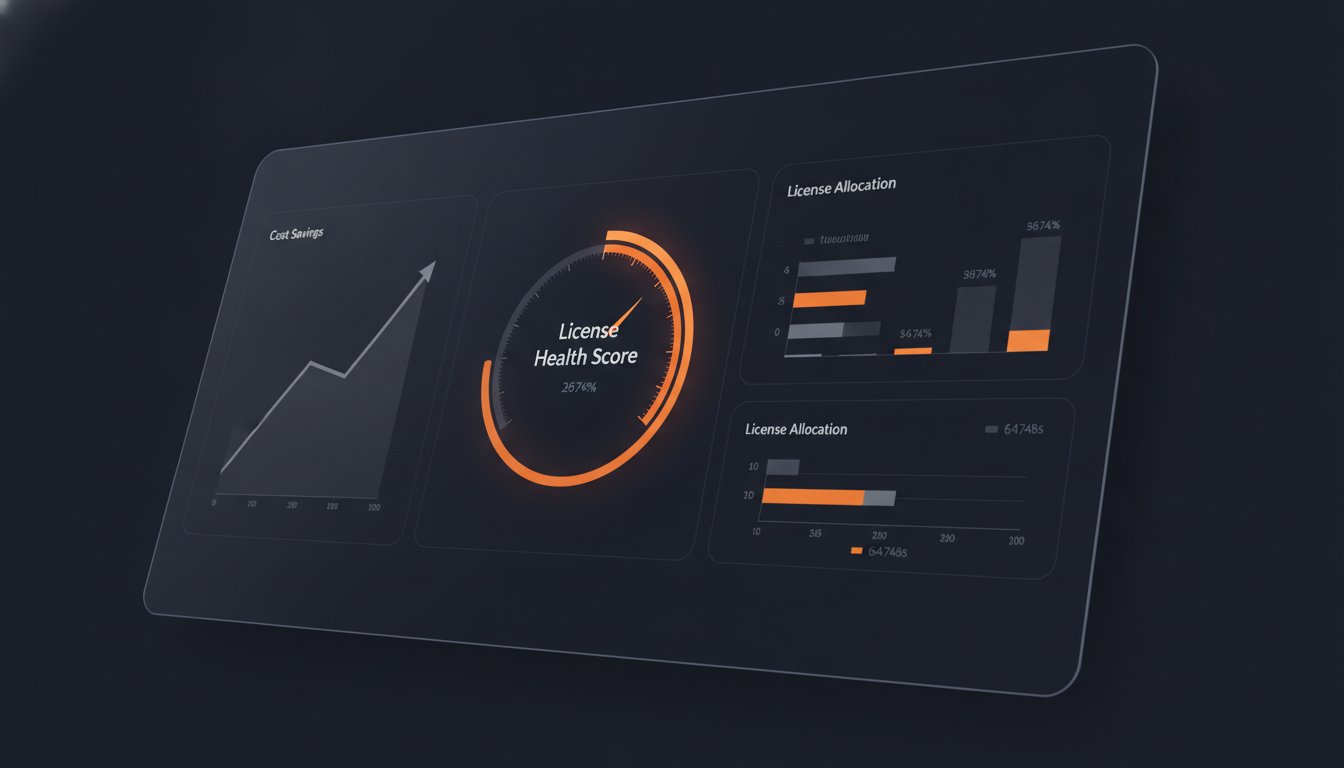
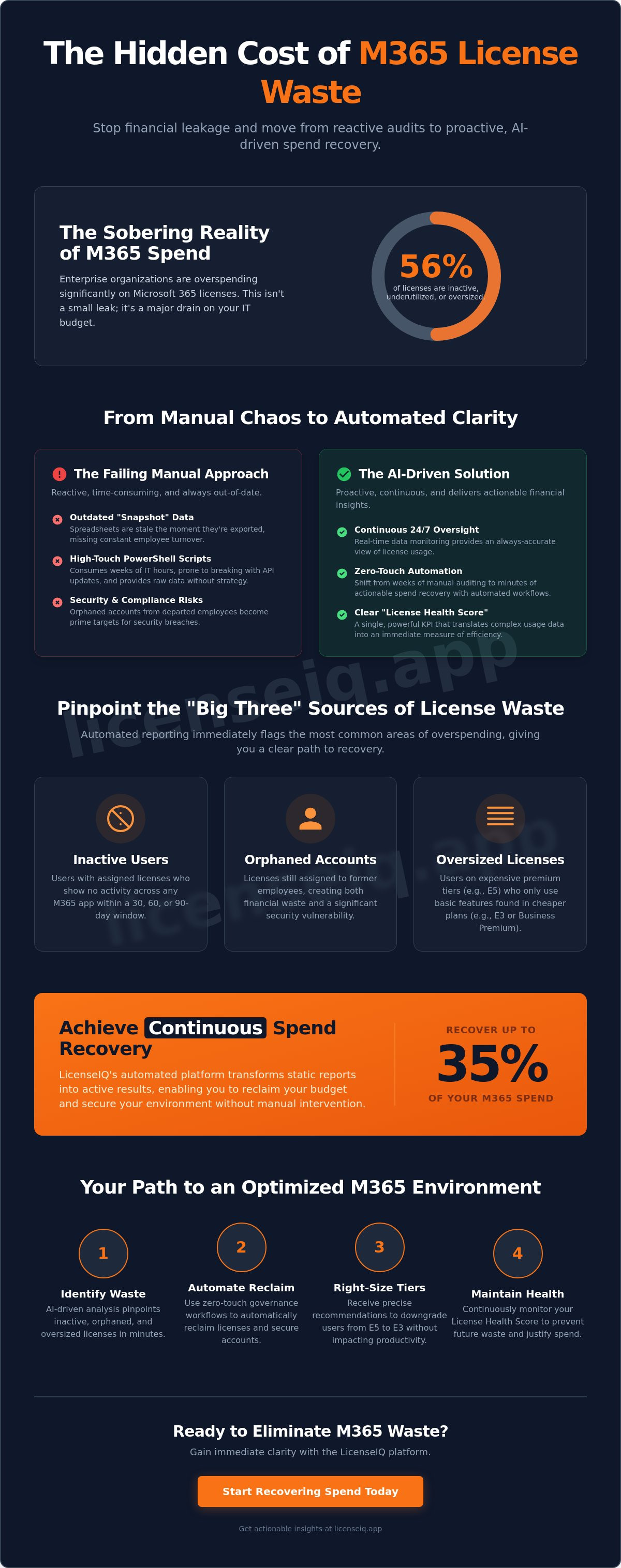
56% of enterprise Microsoft 365 licenses are currently inactive, underutilized, or oversized. This isn't just an administrative gap; it's a direct drain on your budget. You likely feel the frustration of manual spreadsheets and the uncertainty of which users are actually active. Justifying spend to leadership is difficult when your data is opaque. You need automated m365 license usage reporting to gain immediate clarity and eliminate waste.
This guide teaches you how to transition to AI-driven reporting that automatically recovers up to 35% of wasted spend. We'll show you how to move from reactive audits to a proactive License Health Score. You'll learn to use automated governance workflows to reclaim inactive seats and navigate the 2026 price hikes with precision. We are moving beyond simple reporting into a new era of strategic spend recovery.
Key Takeaways
- Stop relying on static spreadsheets. Learn how automated m365 license usage reporting provides continuous oversight to solve the "snapshot problem" of outdated data.
- Identify the "Big Three" sources of license waste. Track real activity across all apps to pinpoint inactive users and redundant license tiers immediately.
- Compare the ROI of zero-touch automation against high-touch PowerShell scripts. Shift from weeks of manual auditing to minutes of actionable spend recovery.
- Turn static reports into active results. Use Automated Governance Workflows to reclaim licenses and secure your environment without manual intervention.
- Achieve a clear License Health Score. Recover up to 35% of your M365 spend by maintaining real-time visibility through the LicenseIQ Platform.
Why Manual M365 Reporting Fails in 2026
Traditional manual audits are extinct. In 2026, relying on a monthly CSV export is a strategy for financial leakage. Automated m365 license usage reporting isn't just a convenience; it's a continuous, AI-driven oversight mechanism that monitors your environment 24/7. Manual reports suffer from the snapshot problem. They are outdated the moment they are generated. By the time your IT team compiles a spreadsheet, new hires have joined and others have left. This delay creates a persistent gap between your billed licenses and actual seat requirements. Organizations that implement automated m365 license usage reporting reclaim their time and their capital simultaneously.
Stale reports also introduce significant security risks. Rapid employee turnover in the modern workforce leads to orphaned accounts that remain active long after a user departs. These ghost accounts are prime targets for exploitation. Beyond security, there's the issue of SaaS sprawl. Organizations now juggle dozens of integrated apps within the ecosystem, making manual tracking an exercise in futility. Without a vigilant system, you're paying for resources that sit idle in a digital vacuum while your budget bleeds out.
The Hidden Cost of PowerShell Dependency
Many IT departments still lean on custom PowerShell scripts. While powerful, these scripts are high-touch liabilities. Maintaining and running them consumes valuable IT hours that could be spent on strategic growth. Scripts frequently break when Microsoft updates its APIs, requiring constant debugging. A script only shows raw data; it doesn't offer a strategy. It fails to provide the 'why' behind license waste, leaving management to guess at the correct corrective action. This lack of context makes justifying your budget to leadership nearly impossible.
Admin Center Limitations for SMBs
The native M365 Admin Portal provides data, but it lacks actionable financial insights. It's built for administration, not spend recovery. You might see that a user is 'active,' but the portal won't tell you if they're over-licensed. For example, a user assigned to the premium Microsoft 365 suite tier like E5 might only use basic email functions. Cross-referencing E3 vs. E5 features manually is a tedious, error-prone process. To find real savings, you need a Spend Recovery Dashboard that translates technical usage into clear dollar values and highlights the exact path to savings.
Core Metrics for Automated License Usage Reporting
To stop the financial bleeding, you must first identify the wound. Effective automated m365 license usage reporting centers on three primary indicators of waste: inactive users, unassigned seats, and redundant license tiers. These "Big Three" represent the most immediate opportunities for capital recovery. Monitoring these metrics manually is impossible at scale. You need a system that translates raw telemetry into a clear License Health Score. This single KPI allows specialized leadership to assess environmental efficiency in seconds rather than hours.
Precision requires looking deeper than simple login timestamps. A user might sign in to check their inbox but never touch the high-value premium tools included in their bundle. Tracking the "Last Activity Date" across every application in the stack is vital. AI-driven systems now analyze these engagement patterns to predict future licensing requirements. This proactive oversight ensures you aren't caught off guard by growth spurts or forced into emergency purchases during peak periods. It turns your licensing from a static expense into a dynamic, optimized resource.
Identifying Inactive and Underutilized Licenses
Reclaiming capital starts with setting clear inactivity thresholds. Most efficient organizations use a 30, 60, or 90-day window to flag licenses for removal. There is a critical distinction between a user who is "logged in" and one who is "actively using" premium features. You don't want to pay for a seat that someone only uses to read a single document once a quarter. Research indicates that 14% of SaaS licenses are wasted specifically due to underutilization where employees have access but fail to engage with the software's core functions. Identifying these users allows for surgical reclamation without disrupting the broader workflow.
Right-Sizing: The E3 to E5 Opportunity
The largest hidden waste often sits within your highest license tiers. Many organizations default to E5 licenses for the entire staff, yet a significant portion of those users never utilize the advanced security or analytics tools. Automated reporting identifies these over-licensed individuals by comparing their actual feature usage against their assigned plan. Downgrading a redundant E5 license to an E3 or Business Premium plan provides immediate spend recovery without any loss of critical user data. For a deeper dive into which plans fit your specific user profiles, consult our Microsoft 365 License Types: The 2026 Reference Guide. This strategic right-sizing ensures every dollar spent aligns with actual operational needs.
Automation vs. PowerShell: Calculating the True ROI
IT leaders often mistake PowerShell for a free solution. It isn't. Scripting carries a heavy operational tax that drains your most expensive resources. Automated m365 license usage reporting eliminates the high-touch burden of manual maintenance. While a custom script might take hours to write, debug, and execute, an AI-native platform operates with zero-touch efficiency. You trade weeks of tedious auditing for minutes of actionable insight. This shift in speed is critical in a 2026 landscape where license costs are rising and budgets are tightening.
Accuracy is the secondary battleground. Human error in spreadsheets is inevitable. A single misaligned cell or an outdated script can hide thousands of dollars in waste. AI-driven scanning removes this margin for error. It identifies subtle patterns that a manual eye would miss, such as micro-usage trends across secondary applications. Automation doesn't just find waste; it simplifies your technical stack. It replaces a fragmented collection of disparate scripts with a single, unified oversight system that leadership can trust.
The 5-Minute Audit Advantage
Time is capital. The LicenseIQ Platform connects to your tenant in minutes using secure protocols. There's no need to install modules or troubleshoot complex permissions. Contrast this with the typical PowerShell workflow:
- Researching the correct Graph API commands for 2026.
- Updating legacy scripts to handle modern authentication requirements.
- Manually cleaning raw CSV output to make it readable for the finance department.
Long-Term Financial Hygiene
One-time audits are temporary fixes. Spend creep is a reality in dynamic organizations where new seats are added daily. Continuous monitoring ensures your budget remains accurate as your team scales. By maintaining a consistent License Health Score, you gain a permanent baseline for efficiency. This ongoing oversight prevents the accumulation of "ghost licenses" that typically pile up between annual reviews. If you want to master the full lifecycle of optimization, explore our guide on how to reduce M365 subscription costs. It provides the tactical framework needed to sustain a lean, high-performance environment year-round.
Transforming Reports into Automated Governance Workflows
Static data is a liability. It creates a false sense of security while your budget continues to bleed. To achieve true spend recovery, you must bridge the gap between insight and intervention. Automated m365 license usage reporting provides the visibility, but Automated Governance Workflows are the engine that executes the reclamation. By automating the response to waste, you eliminate the delays inherent in manual IT ticketing systems. This is how you transform a passive cost center into a lean, high-performance environment. Stop the waste. Recover your capital.
Modern license management should be a "set it and forget it" operation. You define the business rules, and the system enforces them. This level of automation ensures that your License Health Score remains high without requiring constant manual oversight. It allows specialized leadership to focus on strategic growth while a vigilant digital auditor handles the financial hygiene. You can implement Automated Governance Workflows to ensure your environment stays optimized every hour of every day.
The Reclamation Workflow: 4 Key Steps
An effective workflow turns raw telemetry into immediate savings. The process is precise and methodical:
- Step 1: Detection. AI identifies an inactive user or an oversized license based on deep behavioral data, not just simple login timestamps.
- Step 2: Notification. The system alerts the administrator with a specific savings recommendation and the financial impact of the change.
- Step 3: Execution. The admin performs a one-click reclamation or triggers an automated downgrade of the license tier.
- Step 4: Verification. The Spend Recovery Dashboard updates in real-time to reflect the new, lower run rate.
Securing the Offboarding Process
Forgotten licenses for former employees are a dual threat. They represent significant financial waste and a massive security vulnerability. Automated workflows ensure that when a user leaves the organization, their license is reclaimed and their access is terminated immediately. This intersection of security and finance is where automated m365 license usage reporting proves its total value. You stop paying for ghost accounts while simultaneously closing potential entry points for unauthorized access. For a complete guide on protecting your resources during transitions, review our Office 365 Offboarding Checklist 2026. Precise offboarding is the final step in maintaining a secure and cost-effective digital ecosystem.
Continuous Spend Recovery with LicenseIQ
LicenseIQ is the definitive AI-native software intelligence platform for Microsoft 365. It doesn't just report data; it recovers capital. By utilizing automated m365 license usage reporting, organizations typically identify and reclaim up to 35% of their wasted Microsoft spend. This isn't a one-time audit. It's a continuous oversight system that monitors your tenant with surgical precision. The platform leverages the Model Context Protocol to ensure seamless integration into your existing environment, providing immediate visibility without the technical friction of legacy tools. You gain a total view of your financial health through the Spend Recovery Dashboard, ensuring complete transparency for every dollar spent.
Transparency is the cornerstone of financial health. Without it, your organization remains vulnerable to the "snapshot problem" discussed earlier, where data becomes obsolete minutes after it's collected. LicenseIQ replaces this uncertainty with a vigilant, automated auditor that never sleeps. You stop paying for what you don't use. You start optimizing what you have. This transition from organizational disorder to total clarity is essential for any specialized leadership team aiming to protect corporate resources in 2026.
The AI-Native Advantage for SMBs
LicenseIQ was built specifically for organizations that lack massive IT departments. You don't need a team of PowerShell experts to maintain your environment. The platform provides proactive alerts that surface waste before it accumulates, moving you beyond the reactive manual reports of the past. It ensures continuous financial accuracy for your M365 tenant by automatically flagging redundant tiers and inactive seats. This level of automation allows small teams to achieve enterprise-level optimization without the enterprise-level overhead. It's a force multiplier for your IT and finance departments alike.
Getting Started: Your First Health Score
Moving from disorder to clarity starts with a single step. The onboarding process is simple and direct. Within minutes of connecting your tenant, the platform generates your initial License Health Score. This score provides an immediate benchmark of your environment's efficiency. You'll see exactly where your budget is leaking and receive a prioritized list of actions to stop it. Stop guessing about your licensing costs. Start recovering your spend today. Discover your M365 Health Score with LicenseIQ and take control of your digital resources.
Secure Your Budget with Continuous Oversight
The era of static spreadsheets is over. You've seen how manual audits create financial blind spots and security risks that your organization cannot afford in 2026. By shifting to automated m365 license usage reporting, you move from reactive observation to proactive spend recovery. You now have the roadmap to identify the "Big Three" of license waste and replace high-touch PowerShell scripts with zero-touch efficiency. Continuous oversight is no longer a luxury; it's a financial necessity.
Precision and transparency are within your reach. You can connect to your tenant in under 5 minutes and gain immediate clarity through a personalized License Health Score. With AI-native automated governance workflows, you don't just find waste; you eliminate it. You can save up to 35% on M365 subscriptions while securing your environment against orphaned accounts. It's time to stop the leakage and reclaim your resources.
Recover your wasted M365 spend with LicenseIQ. Take the first step toward a leaner, more secure digital ecosystem today.
Frequently Asked Questions
What is automated M365 license usage reporting?
Automated m365 license usage reporting is a continuous oversight system that uses AI to monitor your tenant telemetry in real-time. Unlike static spreadsheets, it provides a live view of which licenses are active, underutilized, or entirely unassigned. It transforms raw data into actionable financial metrics immediately. This allows specialized leadership to make informed decisions without waiting for manual audits or technical deep dives.
How much can I save with automated license reporting?
Organizations typically recover up to 35% of their total Microsoft 365 spend by identifying and reclaiming wasted licenses. This includes removing ghost accounts and downgrading users who don't utilize premium features. With license prices increasing in 2026, these savings directly protect your operational budget. Automated tools ensure you only pay for the specific resources your team actually uses to maintain high productivity.
Is automated reporting more secure than manual PowerShell scripts?
Automated reporting is significantly more secure because it eliminates the human error inherent in manual PowerShell scripts. Scripts often require local execution and constant maintenance, which can introduce vulnerabilities if not updated properly. Automation uses secure, encrypted protocols and direct API connections to provide oversight. This reduces the risk of orphaned accounts remaining active and provides a more vigilant security posture.
How long does it take to set up an automated M365 reporting tool?
Setting up a modern tool like LicenseIQ takes under 5 minutes. You simply connect your tenant using secure protocols, and the system begins its initial scan immediately. You don't need to write code or configure complex modules. Once the connection is established, the platform generates your first License Health Score. This provides immediate clarity and a prioritized list of spend recovery opportunities for your organization.
Can automated reporting help with M365 E3 to E5 right-sizing?
Automated reporting is the most efficient way to handle E3 to E5 right-sizing. The system analyzes feature-level usage to pinpoint users who are assigned E5 licenses but only utilize E3-tier tools. By identifying these discrepancies, you can downgrade redundant tiers without disrupting user workflows. This surgical approach ensures every license assignment is justified by actual behavioral data rather than broad departmental assumptions.
Does LicenseIQ require an IT degree to operate?
LicenseIQ is designed for business managers and leadership, so it doesn't require an IT degree to operate. The platform translates complex technical telemetry into a clear, intuitive Spend Recovery Dashboard. It's a proactive problem-solver that provides direct recommendations. You get the authority of an expert digital auditor without the need for deep technical expertise or a massive internal IT department to manage the process.
What happens to user data when a license is reclaimed via automation?
Reclaiming a license via automation removes the license assignment while leaving the user's data intact for a grace period defined by Microsoft. This allows for secure offboarding or license reassignment without immediate data loss. Automated Governance Workflows can be configured to follow your specific retention policies. This ensures that your financial optimization efforts never compromise your data integrity or your corporate compliance requirements.
How often should I run M365 license usage reports?
You should move toward continuous, real-time monitoring rather than running periodic reports. Static reports are outdated the moment they are generated. A continuous oversight system provides a live Health Score that reflects your environment's current state at all times. At a minimum, leadership should review the Spend Recovery Dashboard once a month to ensure that new license assignments haven't introduced fresh waste or budget leakage.


