
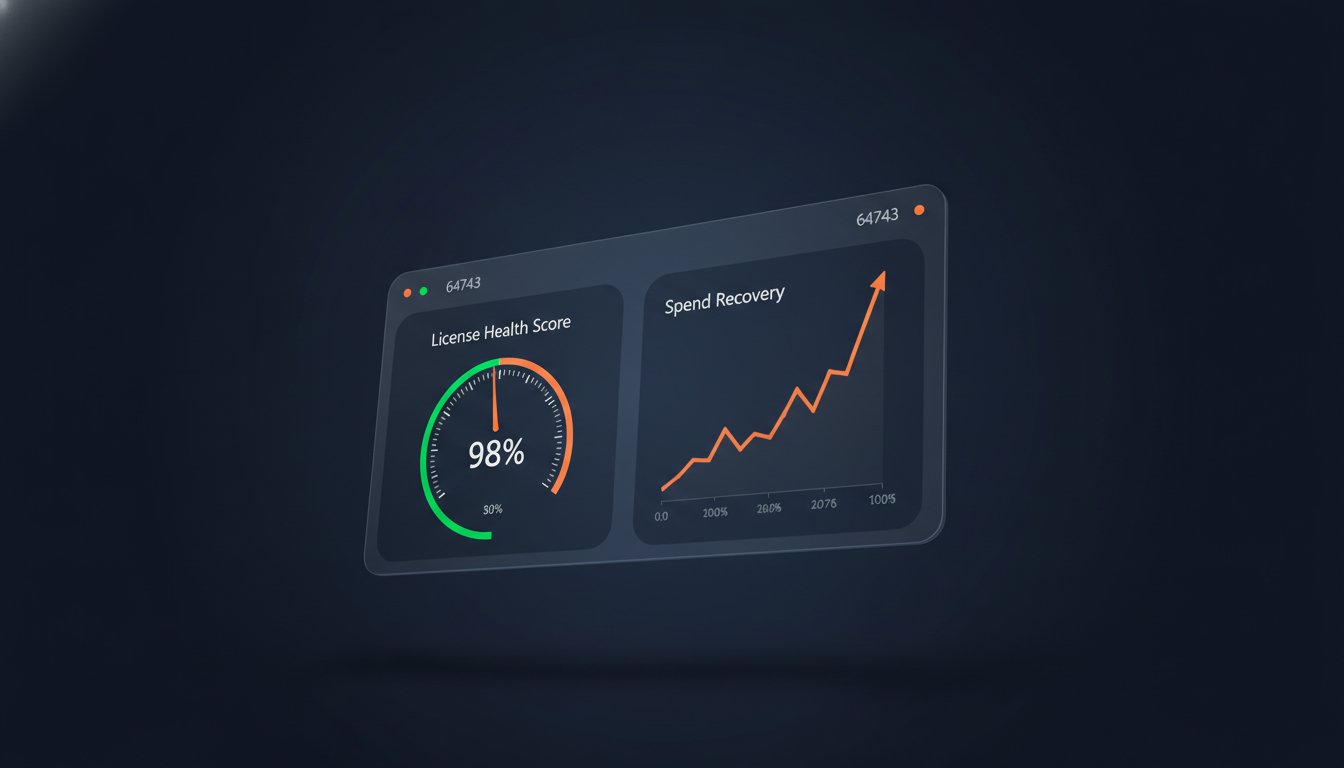
56% of enterprise Microsoft 365 licenses are currently inactive, unassigned, or oversized. With the July 2026 price increases pushing E5 suites to $60 per user, these "ghost licenses" represent a massive drain on your operational capital. You likely feel the frustration of managing SaaS sprawl through manual spreadsheets that are outdated the moment they're saved. It's a losing battle against offboarding gaps and redundant subscriptions that quietly erode your bottom line.
This guide shows you how to stop the bleed by implementing automated m365 license tracking. You'll learn how to leverage AI-native software to reclaim up to 35% of your Microsoft 365 budget. We'll move beyond the limitations of the standard Admin Center to provide a single, actionable Health Score for your entire tenant. We'll also preview how a Spend Recovery Dashboard and automated governance workflows can replace time-consuming audits with real-time financial oversight. It's time to transition from manual disorder to total operational clarity.
Key Takeaways
- Transition from manual spreadsheets to AI-native intelligence to eliminate "ghost users" and redundant license assignments.
- Utilize the License Health Score as a primary KPI to provide leadership with instant visibility into tenant efficiency.
- Implement automated m365 license tracking to autonomously identify and remediate waste across your entire organization.
- Deploy the Spend Recovery Dashboard to monitor real-time ROI and reclaim up to 35% of your annual Microsoft 365 budget.
- Establish Automated Governance Workflows that trigger license reclamation based on specific inactivity thresholds and offboarding triggers.
The Hidden Cost of Manual M365 License Management
Manual spreadsheets are a liability. They lack the agility to manage a fluid environment where users join, move, and leave daily. Relying on manual entries instead of automated m365 license tracking creates a visibility gap that costs enterprises millions in unrecovered capital. With Microsoft eliminating the 30-day grace period for expired subscriptions in April 2026, the margin for error has vanished. You're either optimized or you're overpaying. Static tracking is no longer a viable strategy for modern IT operations.
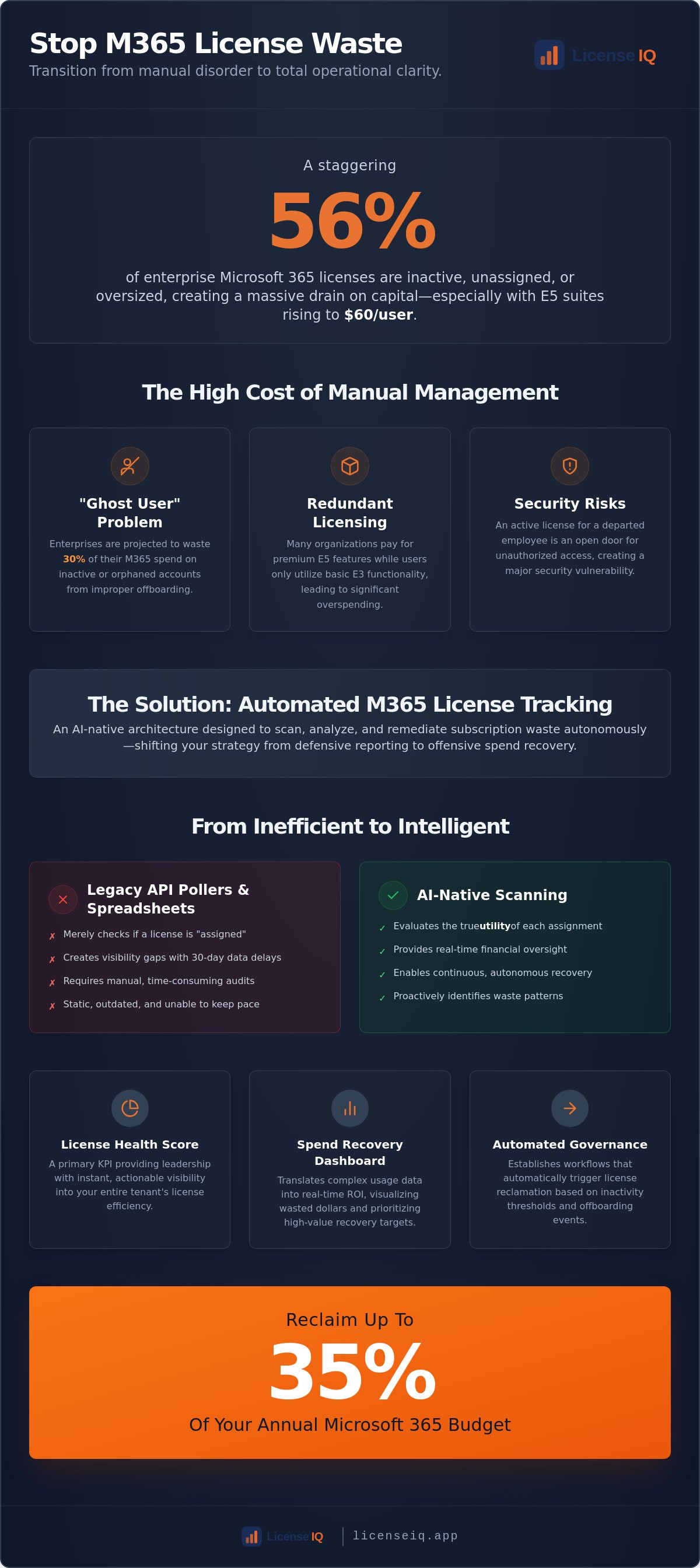
The "Ghost User" problem is the primary driver of this waste. In 2026, enterprises are projected to waste 30% of their Microsoft 365 spend on inactive or orphaned accounts. These are licenses assigned to former employees or service accounts that were never de-provisioned during offboarding. Without a vigilant system, these $60 per month E5 licenses continue to bill indefinitely. This is not just a financial leak; it's an organizational failure to monitor digital resources.
Redundant licensing adds another layer of financial leakage. Many organizations pay for E5 features while users only utilize basic E3 functionality. Proper Software Asset Management (SAM) requires identifying these overlaps before the next renewal cycle. Beyond the cost, unmanaged license sprawl is a major security risk. An active license for a departed employee is an open door for unauthorized access. Recovering these licenses secures your perimeter while protecting your budget.
The Complexity of the M365 Ecosystem
Effective automated m365 license tracking addresses the shift from static seats to usage-based governance. Manual tracking cannot keep pace with 2026 SaaS sprawl. Department heads often engage in "license hoarding," requesting premium tiers for their entire team regardless of actual job requirements. These departmental silos lead to organizational disorder. You need a centralized system to break down these silos and enforce fiscal discipline across the entire tenant.
Why Native Microsoft Reports Fall Short
Native tools like the Microsoft 365 Admin Center provide raw data, but they lack actionable financial insights. These reports often suffer from a 30-day usage delay; your visibility is always one month behind reality. Understanding the nuances of Microsoft 365 License Types is essential, but static reports won't tell you how to recover that spend. Data without action is merely noise. You need a proactive system that translates usage data into a concrete recovery plan.
What is Automated M365 License Tracking?
Automated m365 license tracking is an AI-native architecture designed to scan, analyze, and remediate subscription waste autonomously. Unlike traditional tools that merely report data, this system acts as a digital auditor. It identifies patterns of underutilization and executes recovery workflows without requiring manual oversight. This technology shifts your strategy from defensive reporting to offensive spend recovery.
Modern platforms differ significantly from legacy SaaS Management Platforms (SMPs). While SMPs rely on basic API polling to check if a seat is "assigned," AI-native systems evaluate the utility of that assignment. They leverage the Model Context Protocol (MCP) to integrate deeply with tenant data, providing a more granular view of user behavior. This allows for continuous recovery rather than the staggered, periodic audits that leave money on the table for months at a time. Recognizing the strategic importance of SAM is the first step toward moving from a passive stance to total operational control.
AI-Native Scanning vs. API Pollers
Traditional scripts often miss the nuances of user activity. They might see a logged-in user and assume a license is active. AI-native scanning looks deeper, identifying users who have access to premium features but never use them. AI-native license tracking is a proactive financial safeguard. It discovers patterns in user behavior that static scripts simply cannot detect. These platforms connect to your tenant in under five minutes, providing a full audit of your environment almost instantly. If you want to see this speed in action, you can connect your tenant to LicenseIQ for an immediate assessment.
The Spend Recovery Dashboard
The core of this system is the Spend Recovery Dashboard. It translates technical usage data into financial reality. Instead of showing a list of "unused seats," it visualizes wasted dollars. This focus on financial health allows IT and Finance teams to align their goals. The dashboard prioritizes high-value targets, such as reclaiming premium E5 licenses that cost $60 per month, before addressing lower-tier plans. This hierarchy ensures that your recovery efforts deliver the highest possible ROI in the shortest timeframe. It provides total transparency, ensuring every dollar in your Microsoft 365 budget is justified by actual usage. This level of oversight is essential for maintaining a lean, efficient digital infrastructure in a high-cost environment.
The License Health Score: A New KPI for 2026
The License Health Score is the definitive metric for automated m365 license tracking efficiency. It distills thousands of data points from your tenant into a single, actionable percentage. This score provides immediate clarity on how well your organization utilizes its subscription investment. For IT leadership, it serves as a proactive audit tool; for the CFO, it is a transparent measure of financial discipline. It eliminates the guesswork from software procurement by showing exactly where capital is optimized and where it is wasted.
Finance teams demand this level of transparency in a high-cost environment. They don't need technical logs or seat counts; they need to know the ROI of every E5 license. A low Health Score is a red flag for capital leakage. High scores prove that IT is acting as a vigilant guardian of corporate resources. This KPI allows you to justify budget requests or renewals with hard data rather than anecdotal evidence. When you can prove your environment is 95% optimized, renewal conversations become strategic rather than defensive.
Several critical factors influence this score. Inactivity is the primary driver of waste. If a user hasn't accessed an app in 30 days, their license is a liability. Redundancy also plays a major role. Assigning premium tiers to users who only require basic functionality drags the score down. Finally, offboarding hygiene is essential. Every "ghost user" left in the system after they leave the company represents a direct hit to your efficiency rating. Enterprises are projected to waste 30% of their M365 spend in 2026. Benchmarking your score against this industry average helps you understand your relative standing in the market.
Anatomy of a High Health Score
A perfect score requires zero unassigned licenses and 100% active user rates. It also demands optimized tier allocation. You must ensure that E5 licenses are reserved for power users while others are right-sized to E3 or Business Premium. Achieving this balance requires a sophisticated approach to Microsoft 365 Cost Optimization. A high score is not a one-time achievement; it requires continuous monitoring to maintain as your workforce evolves.
Turning Insights into Executive Action
Implementing Automated Governance Workflows
Reporting reveals the problem; automated m365 license tracking solves it. In 2026, manual remediation is too slow to counter rising subscription costs and the elimination of Microsoft's grace periods. You need a system that executes changes based on predefined logic rather than human intervention. Implementing Automated Governance Workflows transforms your IT department from a cost center into a spend recovery engine. This process is structured into five definitive steps for immediate impact.
- Step 1: Connect your M365 tenant to an AI-native platform like LicenseIQ. This zero-touch integration provides the data foundation for all subsequent actions.
- Step 2: Define your governance thresholds. Establish clear rules, such as reclaiming any license after 30 days of total inactivity.
- Step 3: Activate Automated Governance Workflows for low-risk license types. This handles unassigned seats and orphaned accounts without manual oversight.
- Step 4: Review and approve high-value license downgrades via the dashboard. AI identifies users who don't need premium features, allowing you to validate changes with one click.
- Step 5: Monitor the Spend Recovery Dashboard for continuous savings. Track your cumulative ROI and maintain your License Health Score in real-time.
Automating Offboarding & Reclamation
Closing the offboarding gap is critical for both fiscal health and security. Licenses often linger for months after an employee departs because manual checklists are prone to error. By using an Office 365 Offboarding Checklist integrated with automation, you ensure that access is revoked and licenses are reclaimed simultaneously. This eliminates "ghost users" and prevents unauthorized access to sensitive corporate data. It's a proactive security measure that pays for itself.
Right-Sizing: The AI Advantage
AI-native intelligence identifies users who possess premium features they never utilize. Automation detects these patterns and suggests a "Downgrade without Data Loss" path. This ensures that users retain the tools they actually use while shedding the cost of those they don't. Implementing these right-sizing strategies can save your organization up to 35% on annual renewals. To start reclaiming your budget today, deploy Automated Governance Workflows via the LicenseIQ Platform. This shift from passive observation to active management is the hallmark of a high-performing IT organization.
Why LicenseIQ is the Standard for M365 Tracking
LicenseIQ is the definitive AI-native platform built specifically to solve the unique inefficiencies of SMB license management. While enterprise tools focus on complex, multi-cloud configurations, LicenseIQ prioritizes speed and immediate ROI for Microsoft-centric environments. It provides the precise infrastructure for automated m365 license tracking that agile teams require to remain fiscally lean. This is not a passive monitoring tool; it's an active participant in your company's growth and operational transparency.
The 5-minute setup is a core differentiator for specialized leadership. You don't need weeks of professional services or technical consulting to see results. By connecting directly to your M365 tenant via zero-touch integration, the platform begins scanning for waste immediately. It uncovers obscured details that manual audits miss, providing specific dollar-value recommendations. These insights go beyond simple usage reports. They tell you exactly how much capital you can reclaim today, translating technical logs into financial reality.
Continuous monitoring ensures that waste doesn't return after the initial cleanup. The system remains vigilant, identifying new "ghost users" or redundant assignments as they occur in real-time. This persistent oversight provides a level of security and financial clarity that periodic manual checks cannot match. It acts as a digital auditor that is always one step ahead, ensuring your resources are never left unmonitored or unprotected. You gain total clarity while eliminating the organizational disorder that plagues manual tracking.
Designed for SMB Speed
Traditional IT asset management (ITAM) tools are often too bloated and complex for the needs of a growing business. LicenseIQ outpaces these legacy systems by focusing on the specific nuances of the Microsoft 365 ecosystem. The License Health Score serves as a turnkey reporting solution for busy leaders who need clarity without the cognitive load of technical complexity. You can get started by visiting the LicenseIQ Homepage for a free scan of your environment. This provides an immediate benchmark for your organization's licensing efficiency.
Actionable Spend Recovery
SMBs using the platform typically recover significant wasted spend within the first 30 days of deployment. This rapid ROI is made possible by the Spend Recovery Dashboard's focus on high-value targets like premium E5 and Copilot licenses. Security remains the foundation of the platform's architecture. We use read-only access and enterprise-grade encryption to ensure your data is protected while we optimize your spend. Start your 5-minute audit today to secure your resources and eliminate organizational waste. It's the most efficient way to protect your bottom line in a high-cost SaaS environment.
Secure Your 2026 Microsoft 365 Budget Today
Manual license management is a failed strategy in an era of rising subscription costs and the elimination of grace periods. You've seen how automated m365 license tracking transforms tenant chaos into a streamlined, high-performing financial asset. By focusing on the License Health Score and deploying automated governance workflows, your organization moves from passive observation to active spend recovery. This shift ensures that every seat in your tenant is justified by actual usage and operational necessity.
Eliminating "ghost users" and right-sizing premium tiers shouldn't be a quarterly burden. It's a continuous process that demands the vigilance of an AI-native system. You can Run a 5-Minute M365 Audit with LicenseIQ to uncover hidden waste and reclaim up to 35% of your annual spend. The platform provides a turnkey reporting solution for busy leaders; it requires no IT degree to unlock immediate financial clarity. Take the first step toward total operational transparency and secure your corporate resources against unnecessary waste.
Frequently Asked Questions
How does automated M365 license tracking save money?
Automated tracking identifies and reclaims inactive or redundant licenses that manual audits frequently miss. By implementing automated m365 license tracking, you eliminate "ghost users" and right-size over-provisioned accounts in real-time. This prevents the accumulation of unassigned seats that drain your budget without providing value. The system acts as a digital auditor, ensuring every dollar spent aligns with actual user activity.
Is it safe to connect an automated tool to my Microsoft 365 tenant?
Connecting a platform like LicenseIQ is secure when it utilizes read-only access and enterprise-grade encryption. The system connects via secure APIs to analyze usage patterns without altering your core data without explicit permission. This architecture ensures your tenant remains protected while the system monitors for inefficiencies. It provides a secure layer of oversight that manual spreadsheets cannot replicate.
Can I automate license reclamation without losing user data?
You can safely downgrade or reclaim licenses without data loss by following "Downgrade without Data Loss" workflows. These protocols ensure that mailbox data and OneDrive files remain intact while you shift the user to a more cost-effective tier. Automation handles the technical transition to prevent human error during the right-sizing process. This allows for aggressive spend recovery without risking your organizational intellectual property.
What is the difference between M365 reporting and automated governance?
Reporting provides a static snapshot of past usage; automated governance executes real-time corrective actions. While the standard Admin Center shows you what happened, Automated Governance Workflows fix the problem by de-provisioning licenses based on your specific thresholds. It moves your team from manual observation to autonomous recovery. This shift transforms IT from a reactive reporting center into a proactive financial guardian.
How long does it take to see results from automated license tracking?
You will see actionable insights within five minutes of connecting your tenant to the LicenseIQ Platform. The system performs an immediate scan to generate your License Health Score and identify recovery targets. Most organizations identify significant waste during this first audit, allowing for the immediate reclamation of capital. It's an efficient way to gain total clarity over your software spend almost instantly.
Does LicenseIQ support tracking for Windows 365 or Power BI licenses?
The platform monitors a wide range of premium add-ons and standalone licenses beyond the standard E3 and E5 suites. This includes specialized subscriptions like Windows 365, Power BI, and Copilot. Total visibility ensures that no part of your Microsoft ecosystem remains unmonitored or over-budget. You gain a single point of oversight for every license type within your tenant, regardless of its complexity.
How often should I run an automated license audit?
You should move away from periodic audits in favor of continuous, real-time monitoring. Automated m365 license tracking runs in the background to catch waste the moment it occurs. This proactive approach prevents the usage gaps that typically occur between manual reviews, keeping your environment optimized every day. Continuous monitoring ensures that your License Health Score remains high despite constant changes in your workforce.
Can automated tracking help with Microsoft license renewals?
It provides the hard data required to negotiate renewals from a position of authority. By using the Spend Recovery Dashboard, you can prove exactly how many licenses your organization requires based on actual usage patterns. This prevents you from over-committing to multi-year contracts for seats that would otherwise sit idle. Hard data replaces guesswork, ensuring your next renewal is a strategic opportunity for cost governance.


