
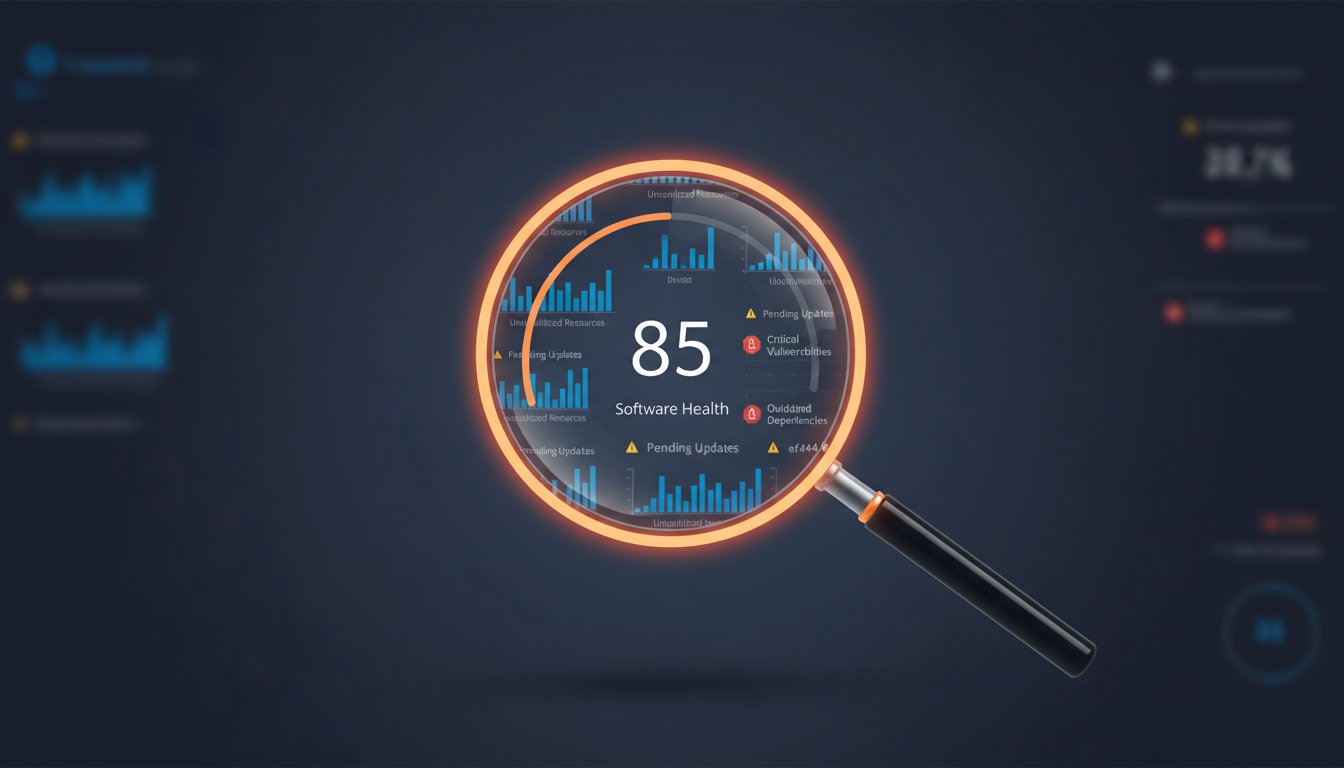
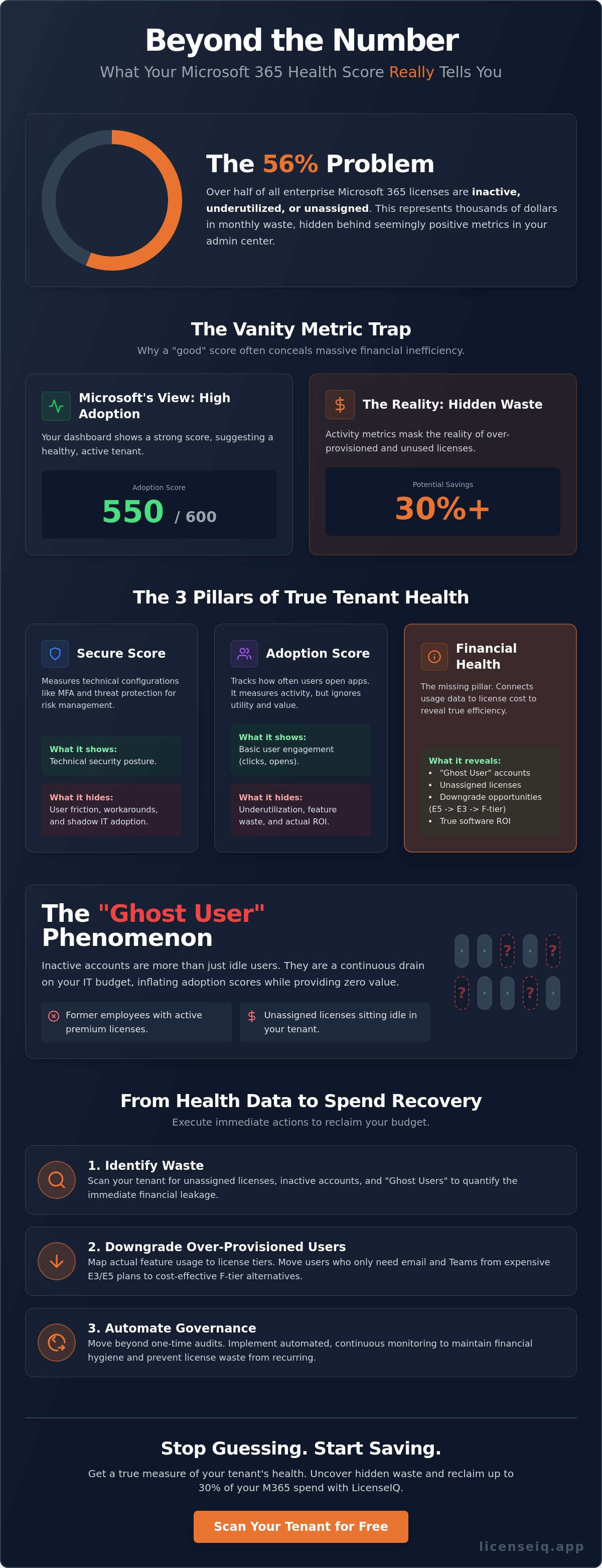
Over 56% of enterprise Microsoft 365 licenses are currently inactive, underutilized, or unassigned. You see a high Adoption Score in your admin center and assume your tenant is performing. It's a dangerous assumption. While your dashboard might show a strong 550 out of 600, it often masks thousands of dollars in monthly waste. Understanding What a Microsoft 365 Health Score Actually Tells You (Beyond the Number) is the first step toward reclaiming your IT budget. It's the difference between a vanity metric and a lean, high performance operation.
You recognize the frustration of rising costs without a clear return on investment. You need visibility into your software stack, not just a summary of how many people opened Teams yesterday. This guide uncovers the financial efficiency and operational risks hidden deep within your tenant data. We'll show you how to audit your environment for the July 1, 2026 price increases, identify users who should move to F-tier licensing, and reduce your total spend by 30% or more through automated governance. True tenant health requires moving past the surface to find the hidden costs in your stack.
Key Takeaways
- Distinguish between Secure, Adoption, and License Health metrics to identify where operational risks and financial leaks overlap.
- Uncover the "Ghost User" phenomenon where inactive accounts inflate your adoption percentages while draining your IT budget.
- Learn What a Microsoft 365 Health Score Actually Tells You (Beyond the Number) by mapping specific feature usage to your current licensing tiers.
- Execute immediate spend recovery by identifying unassigned licenses and downgrading users to cost-effective alternatives like F-tier plans.
- Move beyond one-time audits with automated governance that provides continuous visibility into your tenant's financial health.
Decoding the Microsoft 365 Health Score Landscape
Microsoft segments its metrics into three isolated silos: Secure Score, Adoption Score, and License Health. This fragmentation creates a significant visibility gap for modern IT leaders. While your security team optimizes for a high Secure Score, your finance department watches monthly invoices rise ahead of the July 2026 price hikes. These metrics often work in direct opposition. A "healthy" tenant in Microsoft's eyes simply means the services are active and configured. It doesn't mean they're efficient. To truly grasp What a Microsoft 365 Health Score Actually Tells You (Beyond the Number), you must look at the intersection of these data points. A robust IT governance framework demands a unified view that prioritizes financial hygiene. This is why specialist tools like LicenseIQ analyze the gap between technical uptime and actual license utilization.
The Secure Score: Protection vs. Productivity
The Secure Score measures technical configurations like MFA, Entra roles, and threat protection. It's an essential baseline for risk management. However, a 100% Secure Score can signal operational failure. If security protocols are too rigid, users frequently bypass internal tools for shadow IT alternatives. This creates "Security Theater." You maintain a high score on paper, but your corporate data moves to unmanaged, insecure platforms because your official tenant is too difficult to navigate. Security must enable work, not just restrict it. A secure tenant that users avoid is not a healthy tenant.
The Adoption Score: Usage vs. Utility
Following the February 2026 update, the Adoption Score focuses on "People Experiences" with a maximum possible score of 600. It tracks how often users open Outlook, Teams, or Sharepoint. It measures activity, but it ignores utility. A user who opens Excel once a month contributes to a "healthy" adoption percentage, yet they don't justify a $60.00/month E5 license. High adoption scores frequently mask unmanaged SaaS sprawl. With 56% of enterprise licenses currently underutilized or inactive, relying on usage data alone is a financial risk. You need to see the value generated, not just the clicks recorded. Real health is measured by how much waste you've eliminated, not how many buttons your users clicked.
The Vanity Metric Trap: Why a 'Good' Score Hides 35% Waste
Microsoft's native dashboards prioritize engagement over efficiency. A high score suggests success, but it often conceals massive financial rot. To manage a tenant effectively, leaders need a balanced portfolio of metrics that weights cost against activity. Without this balance, you're paying for potential rather than performance. This is the core of What a Microsoft 365 Health Score Actually Tells You (Beyond the Number); it reflects technical availability, not fiscal responsibility. If your score is high while your costs are climbing, you aren't healthy. You're over-provisioned.
"Our portal says everyone is active." This is the most common pushback from IT managers. Microsoft defines an "active user" as anyone who has performed at least one action across any service in the last 28 days. This definition is too broad for financial auditing. Opening an email once a month doesn't justify a $39.00/month E3 license or a $60.00/month E5 seat. You must evaluate the specific microsoft 365 license types assigned to each user against their actual feature consumption. High activity levels frequently mask the fact that users are only using 10% of the tools you've purchased for them.
The Cost of Inactive Users
An inactive user isn't just someone who hasn't logged in for 30 days. True inactivity includes former employees whose accounts weren't properly de-provisioned or service accounts assigned premium licenses they'll never use. In large tenants, it's common to find E5 seats held by users who left the company six months ago. These "Ghost Users" contribute to a "healthy" adoption percentage while draining your budget. Unassigned licenses sitting in your tenant represent pure waste, acting as a recurring monthly tax on your IT department that provides zero organizational value. You should scan your tenant for these idle seats immediately to stop the bleed.
Redundant Licensing and Tier Overlap
The E3 vs. E5 trap is a primary driver of M365 waste. Many organizations pay for E5 tiers to access specific security features but never actually configure or deploy them. This creates a gap where you pay for protection you don't have. A "Mix and Match" strategy is the antidote. By assigning expensive E5 licenses only to power users and moving others to Business Premium or Frontline plans, you can maintain security without the bloated overhead. For a step-by-step framework on executing these moves, consult our reduce m365 subscription costs guide. Strategic tiering ensures your health score reflects actual utility, not just expensive subscriptions.
Analyzing the 3 Pillars of True Tenant Health
Most IT leaders view their tenant through a keyhole, focusing only on uptime or security alerts. True health requires a wider lens. A high Adoption Score or a perfect Secure Score doesn't guarantee a healthy environment if your licensing costs are spiraling out of control. You need a tripod of metrics to support a sustainable ecosystem. When these three pillars align, your tenant becomes a high performance asset rather than a growing liability. Understanding What a Microsoft 365 Health Score Actually Tells You (Beyond the Number) means examining the tension between security, adoption, and financial efficiency.
- Pillar 1: Security Posture. This is your defensive foundation. It uses the Secure Score to measure how well you've implemented MFA, data loss prevention, and identity protection.
- Pillar 2: Operational Adoption. This baseline tracks how your workforce engages with the tools. It measures the "People Experience" to ensure your technology investment actually changes how work gets done.
- Pillar 3: License Efficiency. This is the missing link in native Microsoft reporting. It measures the gap between what you pay for and what your users actually consume.
License Efficiency: The Missing Metric
License efficiency is the most critical variable for the bottom line. You must calculate the "Cost Per Active Feature" for your organization. If you pay for an E5 license but the user only accesses basic email and chat, your health score is misleading. You're effectively paying a premium for idle software. Right-sizing your licenses is the fastest way to improve total health and prepare for the July 2026 price increases. Prioritizing microsoft 365 license optimization allows you to reclaim thousands in monthly spend without impacting user productivity. It turns invisible waste into visible savings.
Security and Spend: A Balancing Act
Organizations often fall into the trap of over-provisioning for security. They assign expensive, top-tier licenses to every user just to ensure they have access to premium security features. This is a costly mistake. You can maintain a rigorous security posture by using a "Mix and Match" strategy, assigning premium tiers only where they are strictly necessary. Automated governance tools help you maintain this balance without manual auditing. A vital component of this discipline is a clean office 365 offboarding checklist. By reclaiming licenses the moment a user leaves, you prevent idle seats from bloating your budget. This proactive management ensures that What a Microsoft 365 Health Score Actually Tells You (Beyond the Number) is a story of total operational and financial control.
Turning Health Data into Spend Recovery Actions
Data without a recovery plan is just noise. Native Microsoft tools provide "Improvement Actions" that focus almost exclusively on security configurations. While these are necessary, they ignore the fiscal hemorrhaging occurring in your tenant. When you understand What a Microsoft 365 Health Score Actually Tells You (Beyond the Number), you see a roadmap for capital reclamation. You must convert these technical signals into specific, dollar-based tasks. This transition from observation to optimization is what separates passive IT managers from proactive financial leaders.
- Step 1: Eliminate Inventory Waste. Scan your tenant for unassigned licenses and duplicate assignments. These are seats you pay for every month that provide zero utility.
- Step 2: Execute Strategic Downgrades. Analyze feature consumption. If a user only uses web-based applications, move them from an E3 to a Business Basic or F-tier license.
- Step 3: Automate Reclamation. Set triggers to harvest licenses from offboarded employees or those who haven't logged in for 60 days. This prevents "Ghost Users" from inflating your bills.
- Step 4: Institutionalize Governance. Establish a recurring workflow to review utilization. This prevents "Spend Creep" where costs slowly rise as new licenses are added but never removed.
Prioritizing Actions by Dollar Value
A 1% increase in your security score is a technical win, but a $5,000 reduction in monthly waste is an organizational victory. You should always prioritize financial recovery over marginal security gains. When presenting your health score to the CFO, speak in terms of ROI and cost avoidance. Create a 90-day recovery roadmap that targets the highest waste areas first. By focusing on the 29% of SaaS licenses that typically go underutilized, you demonstrate immediate value. This visibility transforms IT from a cost center into an efficiency driver that protects the bottom line against the July 2026 price increases.
The Role of AI in Governance
Manual spreadsheets are the enemy of accuracy. They're outdated the moment you save them. Real-time software intelligence uses AI to identify patterns in user behavior that human auditors miss. AI can predict which users are likely to become inactive or identify which "power users" aren't actually using their premium features. LicenseIQ automates the governance of these recovery steps, ensuring your tenant remains lean without manual intervention. By identifying these patterns, you can proactively downgrade users before the next billing cycle. This automated approach eliminates the friction of manual audits and ensures that What a Microsoft 365 Health Score Actually Tells You (Beyond the Number) is always backed by actionable, real-time data. You don't need more reports; you need continuous visibility into your software spend to maintain a truly healthy tenant.
Automated Governance: The LicenseIQ Approach to Health
Manual audits are obsolete before the spreadsheet is even saved. In a dynamic cloud environment, a static report cannot capture the true state of your tenant. Competitors often suggest annual assessments, but this approach leaves your budget vulnerable to months of undetected waste. To truly understand What a Microsoft 365 Health Score Actually Tells You (Beyond the Number), you need real time software intelligence. LicenseIQ connects to your environment in minutes, replacing manual guesswork with a vigilant, automated system that never stops auditing.
The difference between a "Snapshot" and "Continuous Monitoring" is the difference between a one time fix and permanent efficiency. A snapshot tells you where you failed yesterday. Continuous monitoring ensures you succeed tomorrow. This proactive stance is vital as we approach the July 1, 2026 Microsoft price increases. Small and mid-sized businesses using LicenseIQ are currently saving up to 35% on their M365 subscriptions by eliminating waste the moment it appears. We move your organization beyond simply managing licenses into the era of software intelligence.
- Instant Connectivity: Securely link your tenant and receive an analysis of your financial health in under five minutes.
- Precision Auditing: Identify every unassigned, duplicate, or oversized license with clinical accuracy.
- Continuous Protection: Automated triggers alert you to "Spend Creep" before it impacts your monthly invoice.
- Actionable Intelligence: Receive specific instructions on which users to downgrade based on 90 days of actual utilization data.
Instant Visibility into Hidden Costs
Visibility is the only antidote to the chaos of unmanaged software stacks. Our platform visualizes your "Spend Recovery" potential on a single, intuitive dashboard. We uncover the shadow IT and forgotten subscriptions that native Microsoft scores ignore. This level of transparency provides the peace of mind that comes from vigilant governance. You no longer have to wonder if you are overpaying. You will have the data to prove your tenant is lean, secure, and fully optimized for your current headcount.
Next Steps: Get Your Score in 5 Minutes
Stop guessing about your tenant health. We invite you to run a free, non-intrusive scan of your M365 environment today. Your initial Health Report will provide a clear breakdown of immediate savings opportunities and security gaps that require your attention. This report provides the clarity you need to make data-driven decisions that protect your corporate resources. Don't let another billing cycle pass with 29% of your licenses going to waste. Recover your wasted spend today with LicenseIQ and finally see What a Microsoft 365 Health Score Actually Tells You (Beyond the Number).
Master Your Tenant Economics
A high Adoption Score is only half the story. To survive the July 1, 2026 price increases, you must bridge the gap between technical usage and financial utility. You've seen how "Ghost Users" and redundant tiers hide up to 35% in wasted spend behind a seemingly healthy dashboard. This is the reality of What a Microsoft 365 Health Score Actually Tells You (Beyond the Number). It isn't just about whether your tools are active; it's about whether your investment is optimized. True health requires balancing a rigorous security posture with aggressive license right-sizing.
LicenseIQ provides the visibility you need to stop the financial bleed immediately. Our AI-native platform was designed specifically for SMB leaders to eliminate the errors and delays of manual data entry. It connects to your tenant in minutes to uncover hidden costs and provides a clear recovery roadmap for your IT budget. You can move from passive management to proactive software intelligence with a single, secure scan. Take control of your software stack today. Efficiency is the only sustainable path to long-term digital growth.
Discover your M365 Health Score and recover wasted spend in minutes with LicenseIQ.
Frequently Asked Questions
What is a good Microsoft 365 Secure Score for an SMB?
Aim for a score between 60% and 75%. While a 100% score sounds ideal, it often introduces friction that kills productivity. SMBs should focus on high impact actions like MFA and conditional access. These steps provide the most protection without the complexity of enterprise tier configurations. Balance is better than a perfect number. It's about protecting your data while keeping your team efficient and mobile.
How is the LicenseIQ Health Score different from the Microsoft Adoption Score?
The LicenseIQ score measures financial efficiency, whereas the Adoption Score only tracks feature usage. Microsoft counts a user as active if they open an app once in 28 days. LicenseIQ analyzes What a Microsoft 365 Health Score Actually Tells You (Beyond the Number) by comparing that activity to your license cost. We identify if you're overpaying for features your team never touches. It's about ROI, not just clicks.
Can I improve my health score without upgrading to E5 licenses?
Yes, you often improve health by downgrading rather than upgrading. True health is about alignment, not premium features. You can boost your score by moving inactive users to Business Basic or using F-tier licenses for frontline staff. This reduces waste and improves your utilization percentage immediately. Optimization is always more effective than simply buying more expensive subscriptions. It's the fastest way to stop the bleed.
How often should I audit my M365 license health?
You should audit your tenant health continuously using automated tools, or at least monthly if performing manual checks. Subscription costs change frequently, and employee turnover creates Ghost Users overnight. Waiting for an annual review allows 12 months of waste to accumulate. With the July 1, 2026 price increases approaching, monthly vigilance is the only way to protect your IT budget from spend creep. Consistency is key.
What are the most common causes of a low license health score?
Unassigned licenses and redundant Ghost User accounts are the primary drivers of poor health. Many organizations pay for 15% more seats than they actually have employees. Other causes include paying for E5 security features that remain unconfigured or keeping premium licenses for users who only need web based email. These discrepancies create a massive gap between your billed amount and actual utility. Most companies waste over 30% of their spend here.
Does a high health score guarantee I am not wasting money?
A high Microsoft Adoption Score doesn't guarantee financial efficiency. You can have 100% adoption but still waste 35% of your budget by over provisioning. High usage doesn't mean right-sized licensing. This is exactly What a Microsoft 365 Health Score Actually Tells You (Beyond the Number); it reveals the difference between a busy tenant and a cost effective one. True health requires looking at the price paid per active feature to ensure value.
How does employee offboarding affect my M365 health score?
Poor offboarding habits directly tank your license health by leaving expensive seats assigned to inactive accounts. If you don't reclaim a license the day an employee leaves, you're paying for a Ghost User. This waste compounds as your organization grows. A clean offboarding process ensures your license count stays matched to your active headcount, keeping your health score and your budget in check. It's a vital part of financial hygiene.
Can automated governance tools accidentally delete user data?
No, professional governance tools focus on license assignment, not data deletion. These systems are designed to reclaim or downgrade subscriptions while keeping the underlying mailbox and OneDrive data intact. We provide visibility and recommendations so you can make informed changes. You retain total control over your data while the system identifies the most efficient way to pay for access to it. It's a secure way to optimize.


