
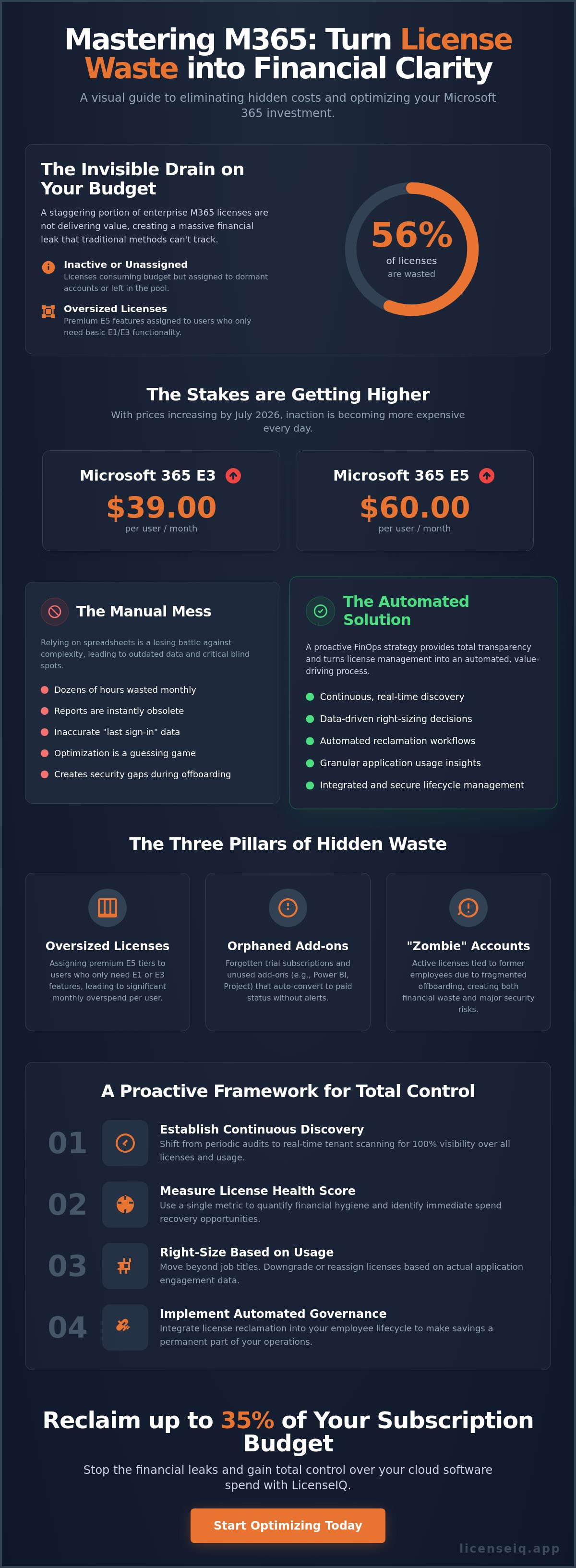
Did you know that 56% of enterprise M365 licenses are currently inactive, unassigned, or oversized? For most specialized leadership teams, this invisible waste represents a massive financial leak that manual spreadsheets simply cannot plug. You're likely already feeling the pressure as subscription costs climb, with the July 2026 price increases pushing Microsoft 365 E3 to $39.00 and E5 to $60.00 per user. Managing these expenses through manual audits is a losing battle that leaves your team buried in data and your organization exposed to security gaps during offboarding.
It's time to stop treating licensing as a passive expense. This guide provides the frameworks you need to master m365 license optimization best practices, allowing you to eliminate waste and reclaim up to 35% of your subscription budget through automated governance. We'll show you how to establish a clear License Health Score for your tenant and deploy automated spend recovery workflows. By the end of this guide, you'll have a proactive system that turns organizational disorder into total financial clarity and operational security.
Key Takeaways
- Establish a real-time discovery framework and use a License Health Score to maintain continuous financial hygiene across your entire tenant.
- Master m365 license optimization best practices to right-size user tiers based on actual application usage rather than generic job titles.
- Implement Automated Governance Workflows to ensure license reclamation is an integrated, permanent part of your employee lifecycle management.
- Identify and eliminate the 35% of subscription waste typically hidden in unassigned or oversized licenses using a centralized Spend Recovery Dashboard.
- Transition from manual, time-consuming audits to a proactive FinOps strategy that provides total transparency into your cloud software spend.
The Financial Impact of M365 License Sprawl in 2026
In 2026, the cost of organizational disorder has reached a breaking point. Microsoft 365 license optimization is the continuous alignment of software entitlements with actual user activity. It's a precise discipline, not a one-time task. Most organizations still treat licensing as a "set and forget" utility, but this passivity is expensive. Industry research indicates that "set and forget" licensing leads to an average 35% waste in SMB tenants. This financial leak is fueled by three specific pillars: inactive users, redundant tiers, and unassigned seats.
The 2026 baseline is clear. Manual oversight is no longer viable for modern IT teams. With the recent price hikes, where Microsoft 365 E3 rose to $39.00 and E5 hit $60.00 per user, the "complexity tax" of unmanaged licenses has become unsustainable. To maintain financial health, organizations must adopt m365 license optimization best practices that prioritize real-time visibility over periodic reviews. This shift ensures that every dollar spent directly supports an active, necessary business function.
The "Hidden Waste" Problem
License sprawl creates "hidden waste" that eludes standard financial reports. Oversized licenses are the most common culprit. Many organizations assign premium E5 tiers to users who only utilize basic E1 features. This mismatch represents a significant monthly loss per user. Beyond tiers, orphaned add-ons and forgotten trial subscriptions often convert to paid status without any administrative alert. This is particularly prevalent across the Microsoft 365 overview of services, where new features are frequently added. Perhaps most critical is the "zombie" account. These are active licenses assigned to former employees due to fragmented offboarding. They drain resources while creating invisible security gaps that put your entire tenant at risk.
Why Manual Spreadsheets Fail
Relying on manual spreadsheets is a form of technical debt that slows down organizational growth. IT admins spend dozens of hours every month pulling data from the M365 Admin Center, only to produce reports that are outdated the moment they're finished. The primary failure point is the metric itself. Most manual audits rely on "last sign-in" dates, which are notoriously inaccurate for optimization. A user may sign in to check email but never touch the expensive Power BI or security features included in their tier. This lack of granular usage data makes manual management a guessing game. By utilizing the LicenseIQ Platform, teams can replace these slow, error-prone processes with automated insights. True m365 license optimization best practices require moving away from reactive spreadsheets toward a proactive, data-driven governance model.
Establishing a Continuous Discovery Framework
Periodic audits are a snapshot of the past. In a dynamic 2026 environment, your tenant changes daily. True m365 license optimization best practices require a shift from manual spot-checks to a continuous discovery framework. This framework relies on real-time tenant scanning to maintain total visibility over your digital resources. By connecting to your tenant via secure APIs, you can extract usage data instantly without the latency of standard Admin Center reports. This level of oversight ensures that your financial records match reality every hour, not just once a quarter.
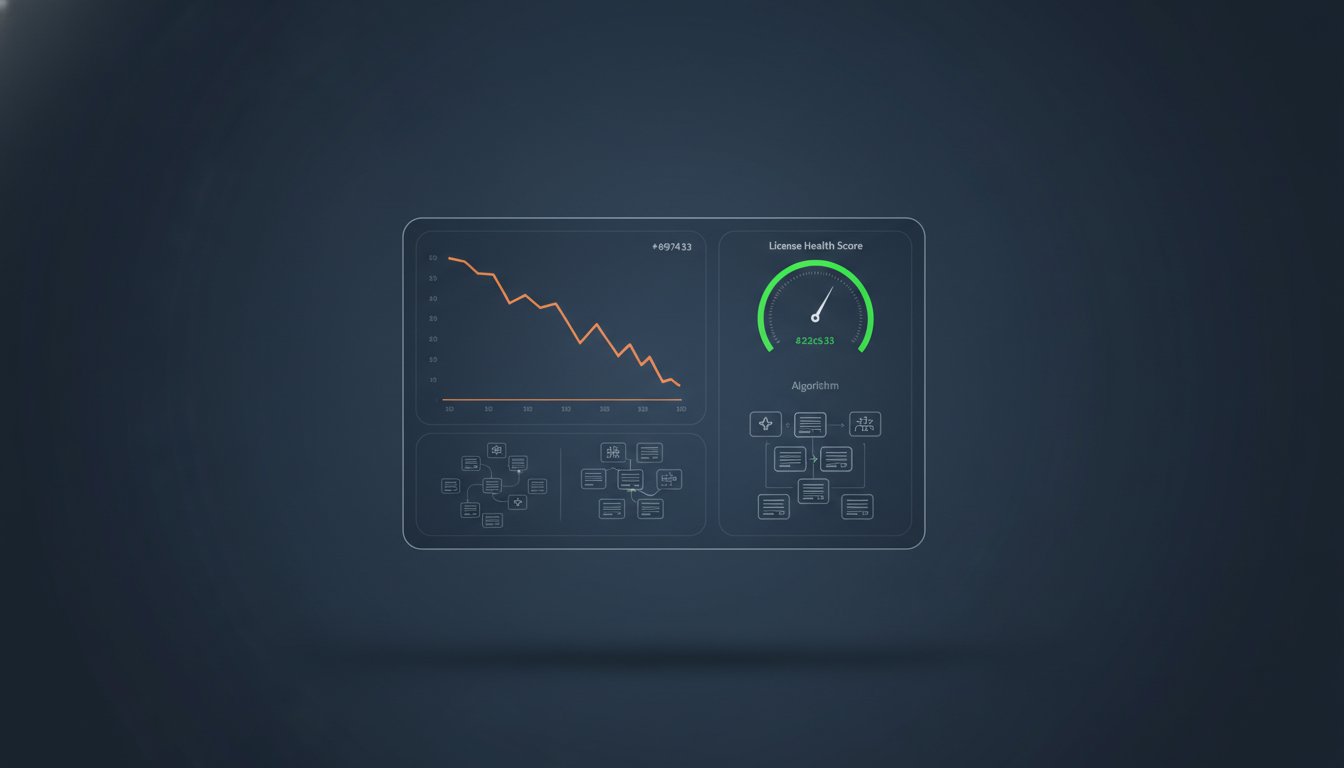
A vital component of this framework is the License Health Score. This metric quantifies your financial hygiene by analyzing the gap between assigned licenses and actual user engagement. High scores indicate a lean, optimized tenant, while low scores signal immediate spend recovery opportunities. Automated discovery tools go beyond simple sign-in logs. They identify users who haven't accessed specific high-value apps like Power BI or Project in 30, 60, or 90 days. This granular insight allows you to reclaim licenses from dormant accounts before the next billing cycle. According to a Gartner report on M365 cost optimization, user profiling is essential for right-sizing these complex environments.
The Role of AI in License Intelligence
AI-native tools have redefined what's possible in license management. These systems analyze vast datasets to identify subtle patterns in user behavior, such as a user who only uses web-based versions of apps despite having a premium desktop license. The Model Context Protocol plays a critical role here by standardizing how data is processed to automate governance across different organizational units. AI-native tools scan every license and user in minutes to provide instant downgrade recommendations. This proactive approach eliminates the guesswork that typically plagues manual reviews. You can benchmark your tenant's efficiency today to see where your biggest leaks are occurring.
Setting Your Optimization KPIs
You cannot manage what you do not measure. Establishing clear KPIs is the only way to track the success of your optimization efforts. Focus on these three primary metrics:
- Unassigned License Ratio: The percentage of purchased seats not currently assigned to a user.
- Inactive User Rate: Users with assigned licenses who have not engaged with the suite in 30 days.
- Potential Spend Recovery: The total dollar value of oversized or unused licenses identified for reclamation.
Benchmarking these figures against industry standards for SMBs provides the context needed for specialized leadership to take action. For a deeper look at managing these metrics over time, consult our guide on Mastering the Microsoft 365 License Management Lifecycle in 2026. This structured approach ensures your m365 license optimization best practices deliver consistent, long-term ROI.
Strategic Right-Sizing: Moving Beyond Inactive User Reports
Right-sizing is the surgical application of resources. It moves beyond basic reports to analyze how users actually interact with the cloud suite. Implementing m365 license optimization best practices means identifying the precise tier required for every role. For instance, a marketing executive needs the full power of Enterprise apps, while a warehouse worker may only require the mobile-first capabilities of an F-series license. This alignment prevents the "complexity tax" that occurs when organizations default to high-tier plans for every employee.
Immediate spend recovery stems from five core techniques. First, right-sizing matches license tiers to actual role requirements. Second, reclamation involves harvesting licenses from departed employees instantly. Third, consolidation identifies 3rd-party tools that existing entitlements, like Intune, can replace. Fourth, tier optimization utilizes F-series licenses for frontline workers to avoid full E-series costs. Finally, automated conversion of inactive accounts frees up paid seats without losing data. These techniques ensure that your subscription budget supports active productivity rather than dormant accounts.
The E3 vs. E5 Value Gap
The $21 per user price gap between E3 ($39.00) and E5 ($60.00) is often where the most waste occurs. Many organizations default to E5 for perceived security benefits without auditing actual feature usage. If your team isn't utilizing Power BI Pro, Cloud App Security, or advanced compliance tools, you're paying for "feature wastage." In many cases, E3 plus a specific security add-on is more cost-effective. For a detailed breakdown of these differences, see our Microsoft 365 License Types: The Comprehensive 2026 Reference Guide. Analyzing these patterns helps you avoid paying for premium security tools that your IT team hasn't yet deployed.
Managing Shared Mailboxes and Inactive Accounts
Converting departed user mailboxes to Shared Mailboxes is a high-impact best practice. This allows you to retain data for compliance without maintaining a paid license. A "safe to harvest" license checklist should include verifying that the user hasn't logged in within 30 days and ensuring the mailbox is under the 50GB limit for free shared mailboxes. You must also confirm that all legal hold requirements are met before the license is reclaimed. This process ensures reclamation doesn't compromise data integrity while slashing unnecessary overhead. By automating these checks, you remove the human error that often leads to security gaps during offboarding.
Implementing Automated Governance Workflows
Manual management creates a culture of license hoarding. Departments often request excess seats to avoid administrative delays, leading to significant budget bloat. Implementing m365 license optimization best practices requires a shift toward Automated Governance Workflows. These workflows act as a permanent solution to sprawl by aligning license availability with real-time demand. By integrating optimization into the employee lifecycle, you ensure that onboarding, role changes, and offboarding trigger immediate adjustments to your subscription count.
The security implications of delayed reclamation are as critical as the financial ones. Every dormant license assigned to a departed employee is a potential entry point for unauthorized access. Immediate reclamation during offboarding closes these gaps while instantly stopping the financial leak. This dual-purpose approach transforms license management from a back-office chore into a vital component of your corporate security posture. It's no longer just about saving money; it's about maintaining a hard target through total operational transparency.
The Offboarding Spend Recovery Playbook
Automation is the only way to ensure 100% compliance with offboarding protocols. Your playbook should include an automated trigger that removes licenses the moment a user is deactivated in Entra ID. For a step-by-step guide on this process, review our Office 365 Offboarding Checklist 2026: Secure Data and Reclaim Spend. To prevent licenses from sitting idle after reclamation, set up automated alerts for any unassigned seats that remain in the tenant for more than 7 days. This ensures your inventory stays lean and your spend remains optimized. You don't want to pay for "shelfware" that provides zero value to the organization.
Policy-Based License Assignment
Group-Based Licensing in Entra ID is the foundation of scalable governance. By assigning licenses to security groups rather than individuals, you ensure that users receive the correct tier by default based on their department or role. This prevents "license creep," where users accumulate multiple overlapping subscriptions over time as they move between projects or departments. Regular policy reviews are essential to ensure these assignments still reflect your current business needs and technical requirements. You can automate these governance workflows to maintain a perpetual state of financial hygiene without manual intervention. This proactive oversight eliminates the organizational disorder that typically leads to overspending.
Driving 35% Savings with LicenseIQ’s AI-Native Platform
Proactive management is the only way to outpace the rising costs of M365. LicenseIQ serves as the central engine for your FinOps strategy, providing the precision required to eliminate waste. Our platform replaces the guesswork of manual audits with an AI-native approach that targets every unassigned seat and oversized tier. By centralizing your data in the Spend Recovery Dashboard, you gain total financial transparency across your entire organization. This isn't a one-time workshop like those offered by traditional MSPs; it's a continuous system of oversight.
The "5-minute audit" is our core promise. You don't have to spend weeks digging through the M365 Admin Center or building custom scripts. Connect your tenant via secure API, run a comprehensive scan, and see specific dollar-value recommendations instantly. This speed allows specialized leadership to make data-driven decisions in real time. We provide enterprise-level intelligence without the technical complexity, making it the ideal solution for SMBs looking to reclaim up to 35% of their subscription budget. LicenseIQ converts m365 license optimization best practices into an automated, repeatable process.
Actionable Insights vs. Generic Reports
Generic M365 usage reports often obscure the details that matter most. They show activity, but they don't show financial waste. LicenseIQ’s License Health Score provides a clear metric for your financial hygiene. It doesn't just report data; it delivers exact instructions for spend recovery. This security-first approach ensures that while you're cutting costs, you're also hardening your governance posture. You're removing the "zombie" accounts and redundant tiers that create both financial leaks and security vulnerabilities. Every recommendation is designed to simplify your administrative workflows while maximizing your ROI.
Getting Started with Automated Optimization
The transition to automated governance is seamless. The setup process moves from tenant connection to insight generation in a single, streamlined workflow. You can identify your biggest savings opportunities before your next billing cycle begins. Our platform is built for the meticulous digital auditor who demands accuracy and speed. Stop letting organizational disorder drain your resources and create unnecessary technical debt. Recover your wasted M365 spend with LicenseIQ and turn your subscription into a lean, high-performance asset. Start your first scan today to see how much of your budget is currently sitting idle.
Take Command of Your M365 Financial Future
Managing cloud subscriptions through manual spreadsheets is a legacy approach that your organization can't afford in 2026. You've seen how continuous discovery and strategic right-sizing turn organizational disorder into financial clarity. By implementing m365 license optimization best practices, you eliminate the invisible waste that typically drains up to 35% of your subscription budget. This isn't just about cost reduction; it's about building a secure, automated governance model that scales with your specific business needs.
LicenseIQ provides the precise tools needed to execute this strategy with total confidence. Our platform allows you to connect to your tenant in minutes and receive immediate, AI-native spend recovery recommendations. You'll gain a clear Health Score that quantifies your progress and identifies every oversized or dormant license in your environment. Stop overpaying for underutilized resources and start maximizing the value of your digital ecosystem today. Discover your M365 Health Score and recover wasted spend now. Your path to a lean, high-performance tenant is just a few clicks away.
Frequently Asked Questions
How can I find unassigned Microsoft 365 licenses quickly?
You can find unassigned licenses by navigating to the Billing section and selecting Licenses within the Microsoft 365 Admin Center. This view shows the total number of purchased seats versus those currently assigned to users. For a more efficient approach, the LicenseIQ platform provides an instant summary via the Spend Recovery Dashboard. This allows you to identify "shelfware" in seconds without navigating through multiple administrative layers.
What is the best way to identify inactive users in my M365 tenant?
The most effective way to identify inactive users is to analyze application-specific engagement data beyond simple sign-in logs. While the Admin Center offers basic usage reports, they often fail to capture granular activity. Automated discovery tools scan for users who haven't accessed high-value services like Power BI or Project in 30, 60, or 90 days. This data-driven approach ensures you only pay for active productivity rather than dormant accounts.
Is it possible to automate the reclamation of licenses from offboarded employees?
Yes, you can automate this by implementing Automated Governance Workflows that trigger immediately upon a user's deactivation in Entra ID. This is a core component of m365 license optimization best practices because it prevents licenses from sitting idle for weeks. Automated reclamation simultaneously hardens your security posture by ensuring former employees no longer have active entitlements, closing potential entry points for unauthorized access.
Can I downgrade a user from E5 to E3 without losing their data?
You can downgrade a user from E5 to E3 without losing their core mailbox or OneDrive data. However, you must first verify if the user relies on E5-specific features like advanced compliance tools or Power BI Pro, as these will be disabled. Perform a feature audit to confirm that the user's actual requirements match the E3 tier. This ensures you reduce costs without disrupting essential business functions or losing specialized capabilities.
What are the most common signs of M365 license waste?
The most frequent signs of waste include a high volume of unassigned licenses and the existence of "zombie" accounts from departed staff. You'll also find significant waste in oversized tiers, where users hold premium E5 licenses but only utilize basic web-based applications. If your organization lacks a continuous discovery framework, you're likely part of the 56% of enterprises currently dealing with inactive or oversized entitlements.
How does a License Health Score help my business save money?
A License Health Score quantifies your tenant's financial hygiene by comparing assigned licenses against actual user activity. It provides specialized leadership with a clear metric to track optimization progress over time. By identifying the gap between your subscription spend and actual utility, the score highlights specific dollar-value recovery opportunities. This transparency allows you to make informed decisions that directly improve your organization's financial health.
Should I use a third-party tool for M365 license optimization instead of manual audits?
Yes, because manual audits are a form of technical debt that results in inaccurate, outdated data. Third-party platforms like LicenseIQ provide real-time scanning and automated workflows that manual spreadsheets simply cannot replicate. These tools ensure your m365 license optimization best practices remain a continuous discipline. This proactive oversight eliminates the organizational disorder that typically leads to overspending and administrative burnout.
How much can an SMB realistically save on M365 subscriptions?
An SMB can realistically reclaim up to 35% of their subscription budget through diligent optimization and automated governance. These savings come from eliminating unassigned seats, right-sizing oversized tiers, and harvesting licenses during the offboarding process. With the July 2026 price increases affecting nearly every tier, these recovery efforts are essential for maintaining a lean operational budget and ensuring your resources are used with maximum efficiency.


