
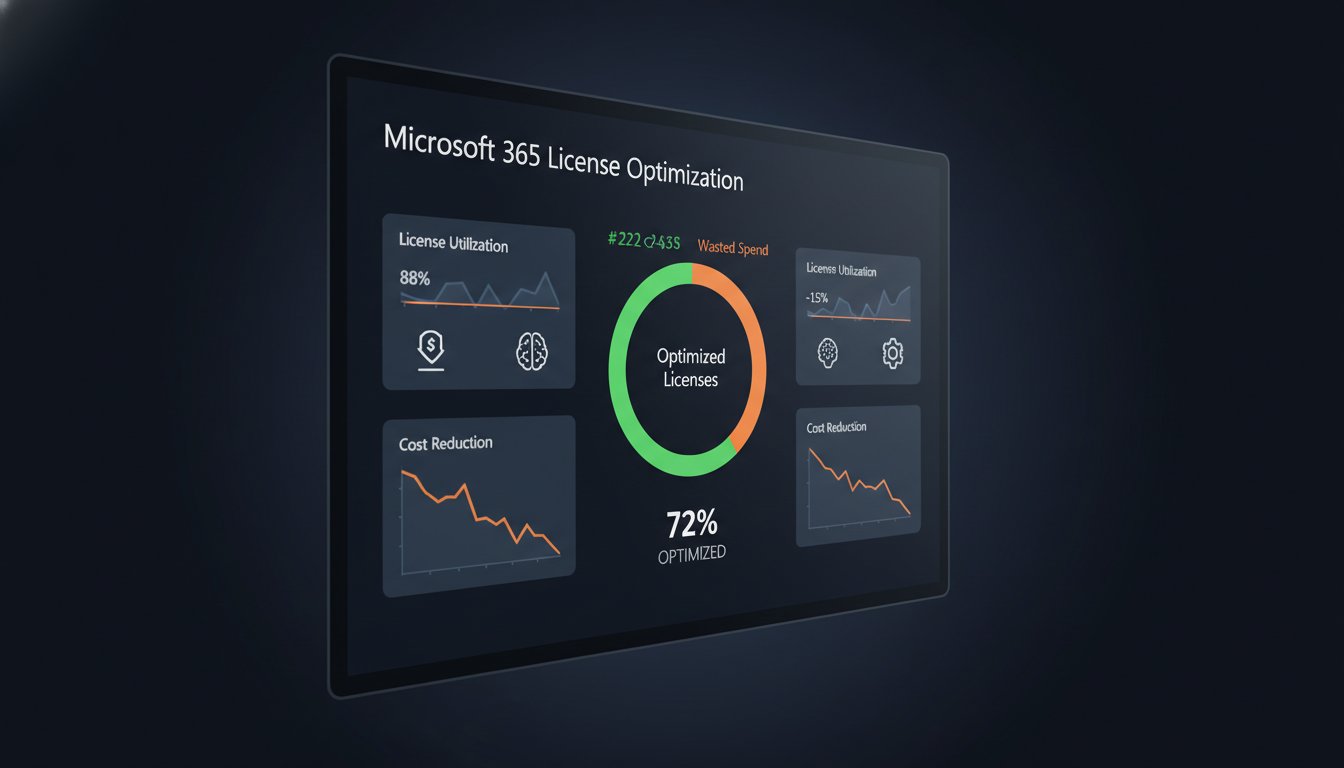
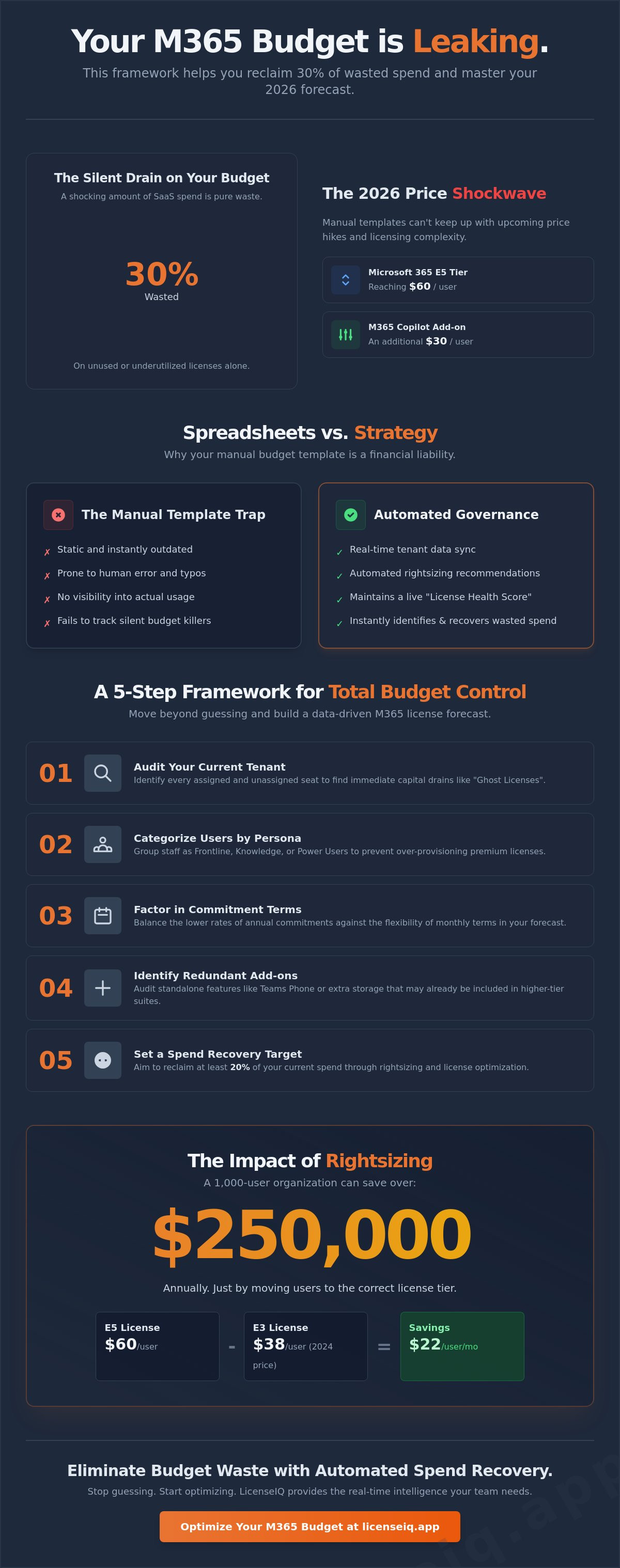
Did you know that 30% of your SaaS budget is currently wasted on unused or underutilized licenses? With Microsoft 365 prices increasing by as much as 33% in July 2026, relying on a manual microsoft 365 budget template is a financial liability. You've likely seen how quickly inactive users and the "300-seat cliff" can derail a forecast. It's frustrating to manage complex licensing tiers when you lack visibility into actual seat utility.
This guide provides the ultimate framework to reclaim your budget and ensure zero wasted licenses. We'll show you how to navigate the 2026 price hikes, including the new $60 E5 tier and the $18 Copilot add-ons. You'll learn to identify rightsizing opportunities that can save a 1,000-user organization over $250,000 a year. We're moving beyond simple tracking to show you how automated oversight and specialized intelligence transform license management into a strategic advantage for your leadership team.
Key Takeaways
- Audit your environment by user persona to eliminate over-provisioning and align license costs with actual job requirements.
- Leverage a robust microsoft 365 budget template to forecast spending across complex tiers and prevent unexpected migration costs.
- Pinpoint "silent budget killers" like inactive accounts and redundant premium features that inflate monthly billing.
- Replace static spreadsheets with automated governance workflows to maintain a real-time License Health Score and ensure data accuracy.
- Utilize a spend recovery dashboard to instantly identify and reclaim capital trapped in underutilized or abandoned software seats.
What is a Microsoft 365 Budget Template?
A microsoft 365 budget template is a specialized financial framework designed to forecast and track subscription costs across your entire tenant. It isn't just a simple ledger of expenses. It's a strategic tool that maps your technical architecture to your fiscal reality. Most managers mistake a general accounting spreadsheet for a license tracker. This is a costly error. A true budget template provides granular visibility into seat counts, license tiers, and consumption patterns. It's the essential first step toward achieving FinOps maturity within your organization.
General Purpose vs. License-Specific Templates
Standard budget tools focus on household bills or simple cash flow. They lack the logic to handle the complexity of Microsoft 365 licensing. An effective license tracker monitors specific SKUs and add-ons. It identifies who is using an E5 license when an E3 would suffice. IT leaders need a dedicated spend tracker to manage these technical nuances. Without it, you aren't budgeting; you're guessing. Precision in your data leads to confidence in your reporting.
Key Components of a 2026 M365 Budget
Your budget must account for three distinct categories to remain accurate throughout the fiscal year. Relying on outdated figures will lead to significant deficits by year-end.
- Fixed costs: These are your core subscription fees. With the 2026 price increases, your base for Office 365 E3 is now $26, while Microsoft 365 E5 has reached $60 per user.
- Variable costs: This category includes high-value add-ons. Adding Microsoft 365 Copilot for Enterprise at $30 per user can shift your totals overnight.
- Growth buffer: Smart budgets include a margin for new hires and seasonal scaling. This prevents emergency funding requests mid-quarter.
Traditional spreadsheets fail in 2026. Microsoft's global unbundling of Teams and the elimination of the 30-day grace period for expired licenses demand real-time oversight. Static files become obsolete the moment you hit "save." You need a dynamic system that reflects current tenant reality. While a microsoft 365 budget template provides the necessary structure, modern organizations are moving toward platforms like LicenseIQ to automate this oversight. This shift ensures your resources are monitored by a vigilant system that prevents waste before it occurs.
How to Build a Microsoft 365 License Budget Forecast
Building a reliable forecast requires moving beyond static data entry. You must transform raw tenant data into a roadmap for fiscal efficiency. A high-performing microsoft 365 budget template acts as a blueprint for this transformation. It forces you to reconcile your technical requirements with actual consumption patterns. Follow these five steps to build a forecast that protects your bottom line.
- Step 1: Audit your current tenant. Identify every assigned and unassigned seat. Unassigned licenses are immediate capital drains.
- Step 2: Categorize users by persona. Group staff into Frontline, Knowledge Worker, or Power User buckets. This prevents over-provisioning premium licenses to light users.
- Step 3: Factor in commitment terms. Annual commitments offer lower rates but lock you in. Monthly terms provide flexibility at a premium. Your budget must reflect these differences.
- Step 4: Identify redundant add-ons. Audit standalone features like Teams Phone or extra storage. Often, these are already included in higher-tier suites.
- Step 5: Set a Spend Recovery target. Aim to reclaim at least 20% of your current spend through rightsizing. Use historical waste data to set this benchmark.
Auditing Your Current License Inventory
Start by exporting your user lists directly from the M365 Admin Center. This raw data reveals "Ghost Licenses," which are seats that remain billed despite having no active user attached. Relying on manual spreadsheets often obscures these details. The Hidden Costs Manual Templates Fail to Track include these orphaned subscriptions and the resulting financial leakage. In 2026, your License Health Score serves as a single metric representing the ratio of active feature utilization against your total subscription investment. Maintaining a high score requires constant vigilance over your seat count.
Aligning Tiers to Actual User Behavior
Precision budgeting means mapping E5 features only to those who use them. If a user only requires basic email and Office web apps, an F-series or Business Basic license is sufficient. Moving a single user from E5 to E3 saves $21 monthly; scaled across 500 users, that's $126,000 annually. Use these hard numbers to justify budget adjustments to stakeholders. Transparency in usage data eliminates the friction usually associated with license downgrades. For immediate clarity on these opportunities, viewing your environment through an automated spend recovery dashboard provides the evidence needed to cut costs without impacting productivity.
The Hidden Costs Manual Templates Fail to Track
Manual spreadsheets provide a false sense of security. They track what you think you own, not what your organization actually uses. This discrepancy creates a massive financial gap that a standard microsoft 365 budget template cannot bridge on its own. In 2026, with Microsoft 365 E5 reaching $60 per user, even a 5% margin of error results in significant capital leakage. Static tracking fails to account for the dynamic nature of modern cloud environments. You need to look beneath the surface to find the true cost of your tenant.
- Inactive users: These are the silent budget killers. Licenses assigned to users who haven't logged in for months remain active and billed.
- Redundant licenses: Many organizations pay for premium E5 features while their staff only utilizes basic E3 functionality.
- Offboarding gaps: Licenses often remain active for months after an employee departs. This oversight is a direct result of manual tracking delays.
- Shadow IT: Unmanaged third-party apps often duplicate native M365 features. You're likely paying twice for the same capability.
The Inactive User Problem
In 2026, inactivity is defined by 30, 60, or 90-day utilization thresholds. Microsoft has eliminated the 30-day grace period for expired licenses, making immediate reclamation vital. If an account shows zero activity for 60 days, that license is a candidate for immediate recovery. The financial impact of forgotten accounts can reach thousands of dollars over a single fiscal year. To prevent this, integrate a strict Office 365 offboarding checklist into your administrative workflow. This ensures you reclaim spend the moment a seat becomes vacant.
License Tier Overlap and Waste
Manual spreadsheets cannot track feature-level utilization. You might see that a user has an E5 license, but you won't see that they never use the advanced security stack or Power BI Pro. This lack of visibility leads to massive overspending. Research shows that assigning an E5 license when E3 covers the requirement results in an unnecessary cost of $21 per user monthly. Identifying these overlaps is the cornerstone of effective Microsoft 365 cost optimization. A microsoft 365 budget template is your starting point, but real-time data is what actually recovers your budget. Stop paying for potential and start paying for actual usage.
Excel Templates vs. Automated License Governance
A free microsoft 365 budget template often costs more than it saves. While a spreadsheet is a useful starting point for small teams, it cannot keep pace with the volatility of an enterprise environment. Spreadsheets are inherently static. Your Microsoft tenant is not. Every new hire, departure, and tier upgrade creates a data gap that manual entry struggles to fill. Relying on human input for financial oversight introduces a 20% to 40% margin of error in mid-sized environments. This lack of precision leads to unmanaged waste that compounds month over month.
The Limitations of Manual Spreadsheets
Version control is the primary enemy of the manual microsoft 365 budget template. When multiple departments edit a single file, data integrity collapses. IT might update seat counts while Finance adjusts unit prices, leading to conflicting forecasts. The time-cost of performing a manual audit is also significant. Manually reconciling 500 users against their actual activity logs can consume hours of specialized labor every month. This administrative burden distracts your team from higher-value technical initiatives. In 2026, a "free" template is a high-cost solution when measured in lost time and missed savings opportunities.
The Benefits of Automated Software Intelligence
Automated governance replaces manual guesswork with real-time API connections. Instead of waiting for a monthly report, you gain instant visibility into your licensing health. Software intelligence platforms connect to your tenant in minutes to deliver a comprehensive License Health Score. This metric provides an immediate baseline for your financial efficiency. Automation doesn't just track data; it acts on it. You can deploy automated governance workflows that flag inactive users and trigger reclamation processes without human intervention.
- Data Accuracy: Real-time API synchronization eliminates human entry errors.
- Actionability: Transition from static lists to one-click spend recovery insights.
- Scalability: Replace spreadsheet sprawl with a centralized AI governance engine.
- ROI: Identify and recover thousands in wasted spend within the first 30 days of deployment.
The difference between a spreadsheet and a platform is the move from observation to optimization. A static file tells you what you spent last month. An automated system tells you how much you can save today. By integrating a Spend Recovery Dashboard into your operations, you ensure that every dollar in your budget is mapped to a productive user. Stop managing your software spend through a rearview mirror. Secure your financial future by deploying the LicenseIQ Platform to gain total transparency and control over your Microsoft 365 environment.
Eliminate Budget Waste: Automated Spend Recovery with LicenseIQ
A static microsoft 365 budget template is a historical record. It cannot stop the financial leakage happening in your environment right now. To truly master your software costs, you need a proactive system that identifies waste as it occurs. LicenseIQ provides this level of oversight. It's a platform built for specialized leadership who demand immediate clarity and operational transparency. By moving beyond manual spreadsheets, you transform budgeting from a monthly chore into a continuous engine for spend recovery.
The LicenseIQ platform uses an AI-native engine to scan your tenant for inefficiencies. It discovers wasted spend in minutes by cross-referencing assigned licenses with actual user activity. This isn't a surface-level scan. It looks deep into feature utilization to find users who aren't using their premium E5 security tools or Copilot add-ons. You've already seen that 30% of SaaS spend is typically wasted. LicenseIQ provides the tools to claw that capital back into your operating budget immediately.
Setting up Automated Governance Workflows is the next step in preventing future sprawl. These workflows act as a vigilant digital auditor. They flag inactive accounts the moment they hit your 30, 60, or 90-day inactivity threshold. Instead of waiting for a quarterly review, the system prompts for license reclamation in real-time. This ensures your seat count remains lean and your monthly billing stays predictable, even as your organization scales.
Your M365 Health Score
The License Health Score is your primary metric for financial hygiene. It provides an objective assessment of how efficiently you're using your current subscriptions. A low score indicates significant over-provisioning or a high volume of "ghost licenses." By using the Spend Recovery Dashboard, you can visualize exactly where your money is going and take action to recover up to 35% of your wasted spend. LicenseIQ connects to your Microsoft 365 tenant via a secure API to ingest and analyze usage metadata without any manual data entry required from your team.
Next Steps: From Template to Total Clarity
2026 is the year to retire the manual microsoft 365 budget template. The complexity of the current licensing landscape, including the new E7 tier and unbundled Teams SKUs, makes spreadsheets a liability. You need a system that is always one step ahead of the next price increase or policy change. Total clarity is no longer a luxury; it's a requirement for sound financial management. You can start a free scan of your environment today to see your potential savings and identify immediate rightsizing opportunities.
Stop guessing and start optimizing. Use data-driven insights to protect your corporate resources and eliminate organizational disorder. Your budget deserves the precision that only automated software intelligence can provide. Scan your tenant and recover wasted spend with LicenseIQ to gain the oversight you need for a leaner, more efficient 2026.
Secure Your Financial Future with Intelligent Governance
You've seen how a static microsoft 365 budget template provides structure but lacks the agility to handle real-time tenant changes. Relying on manual audits in a landscape of rising costs and unbundled SKUs is a risk your organization doesn't need to take. True fiscal health requires moving from passive observation to automated action. By identifying inactive users and rightsizing license tiers, you protect your bottom line from unnecessary leakage.
Our AI-native spend recovery engine connects to your tenant in minutes to uncover every obscured detail. It saves SMBs up to 35% on M365 costs by highlighting immediate savings that manual spreadsheets simply cannot track. This transition ensures your resources are monitored by a vigilant system that never sleeps. You deserve total transparency and a License Health Score that reflects peak efficiency.
Stop manual tracking and recover up to 35% of your M365 spend with LicenseIQ. Your path to total clarity and predictable billing starts with a single scan. Reclaim your budget and secure your organization's growth today.
Frequently Asked Questions
Is there a free Microsoft 365 budget template for businesses?
Yes, Microsoft and several third-party financial sites provide basic Excel templates for tracking expenses. These tools are useful for general accounting but often lack the technical logic required to manage complex license tiers and add-ons. For a modern enterprise, a static microsoft 365 budget template is only a starting point. It requires constant manual labor to reflect the 2026 price increases and the global unbundling of Teams.
How do I calculate my Microsoft 365 budget for 2026?
Calculate your budget by multiplying your total seat count by the updated 2026 rates, such as $26 for O365 E3 or $60 for M365 E5. You must also account for the "300-seat cliff" if you are nearing the limit for Business plans. Include a 10% buffer for new hires and factor in high-value add-ons like Copilot to ensure your forecast remains accurate throughout the fiscal year.
What is the best way to track Microsoft 365 license usage?
Automated software intelligence is the most efficient way to track usage in a dynamic environment. While the M365 Admin Center provides raw activity data, it doesn't offer financial context. A specialized platform connects to your tenant via API to deliver a real-time License Health Score. This method identifies rightsizing opportunities far more effectively than manual spreadsheets, which become obsolete the moment they are saved.
How much can I save by using a license optimization tool instead of a template?
Organizations typically recover between 20% and 40% of their annual spend by moving from manual tracking to automated optimization. These tools uncover hidden waste, such as "ghost licenses" and over-provisioned premium seats, that a standard microsoft 365 budget template cannot detect. For a mid-sized organization, this shift can save hundreds of thousands of dollars by aligning costs with actual user behavior.
Can Excel templates track inactive Microsoft 365 users?
No, Excel templates cannot track user activity without manual data exports and tedious reconciliation. You must pull usage reports from the Microsoft portal and manually compare them to your spreadsheet entries. This process is time-intensive and prone to human error. Automated governance workflows solve this problem by instantly flagging accounts with zero activity over a 30, 60, or 90-day period for immediate reclamation.
What are the most common M365 budget mistakes for SMBs?
The most frequent errors include over-provisioning E5 licenses to light users and failing to account for the unbundling of Teams. Many SMBs also ignore the financial impact of inactive accounts during the offboarding process. These oversights lead to significant capital leakage. Relying on a manual spreadsheet without auditing actual tenant usage data is the primary cause of these avoidable financial deficits.
How often should I update my M365 budget spreadsheet?
You should update a manual budget spreadsheet at least once a month to maintain a baseline of accuracy. However, even monthly updates fail to capture the daily fluctuations in a modern cloud environment. This is why specialized leadership is moving toward real-time dashboards. Continuous monitoring ensures your financial oversight stays ahead of your operational changes and prevents waste from accumulating between audit cycles.
Does Microsoft provide a tool to see if I am overspending on licenses?
Microsoft provides usage reports that show user activity, but they do not offer a dedicated tool for financial optimization. Their reports focus on adoption rather than spend recovery. To identify exactly where you are losing money, you need a specialized Spend Recovery Dashboard. These tools translate technical metadata into clear financial recommendations, allowing you to reclaim your budget with total confidence.


